2.5: How to Choose and Organize Templates by Garment Category
Astria Workshops · Series 2: Reusable lookbook templates · Lesson 5
Create a designated template for each garment category you regularly photograph. Start each product from poses, framing and prompts suited to the clothes.
Follow workshop 2.5. The screenshots show its recorded steps, cropped to keep the relevant controls readable. Keyframe times are relative to the named scene. Click any image to enlarge it.
Before you begin
Use the reusable workflow from workshop 2.4. Think about the garment categories in your collection and the product views each one needs.
Step 1: Match the shots to the garment
Choose poses, framing and prompts—the written instructions for each image—that suit the product. A dress may need a full-length image to show its shape. A shirt may need a closer crop around its collar.
Use those differences to decide what belongs in each category’s template. Keep the product’s important features visible in the selected views.
Step 2: Include garment-specific styling
Save styling directions that you expect to reuse with the category. For a jacket, specify whether it should be shown open or closed, alongside the chosen poses and framing.
These directions are part of the template’s creative decisions. Review them with the shot list before reusing the template for another product.
Step 3: Browse an established workspace’s templates
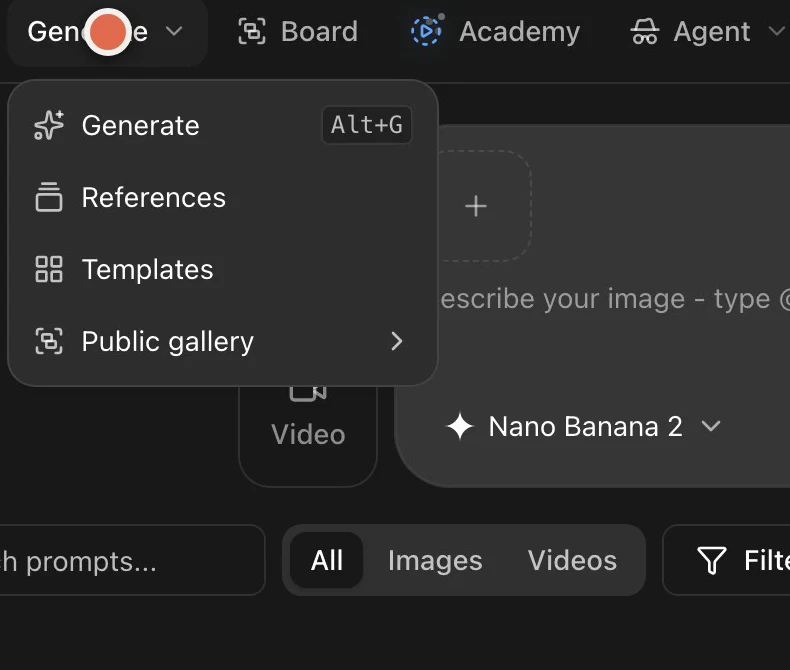
In Astria, open Templates. Choose a workspace if necessary, then look through its catalog.
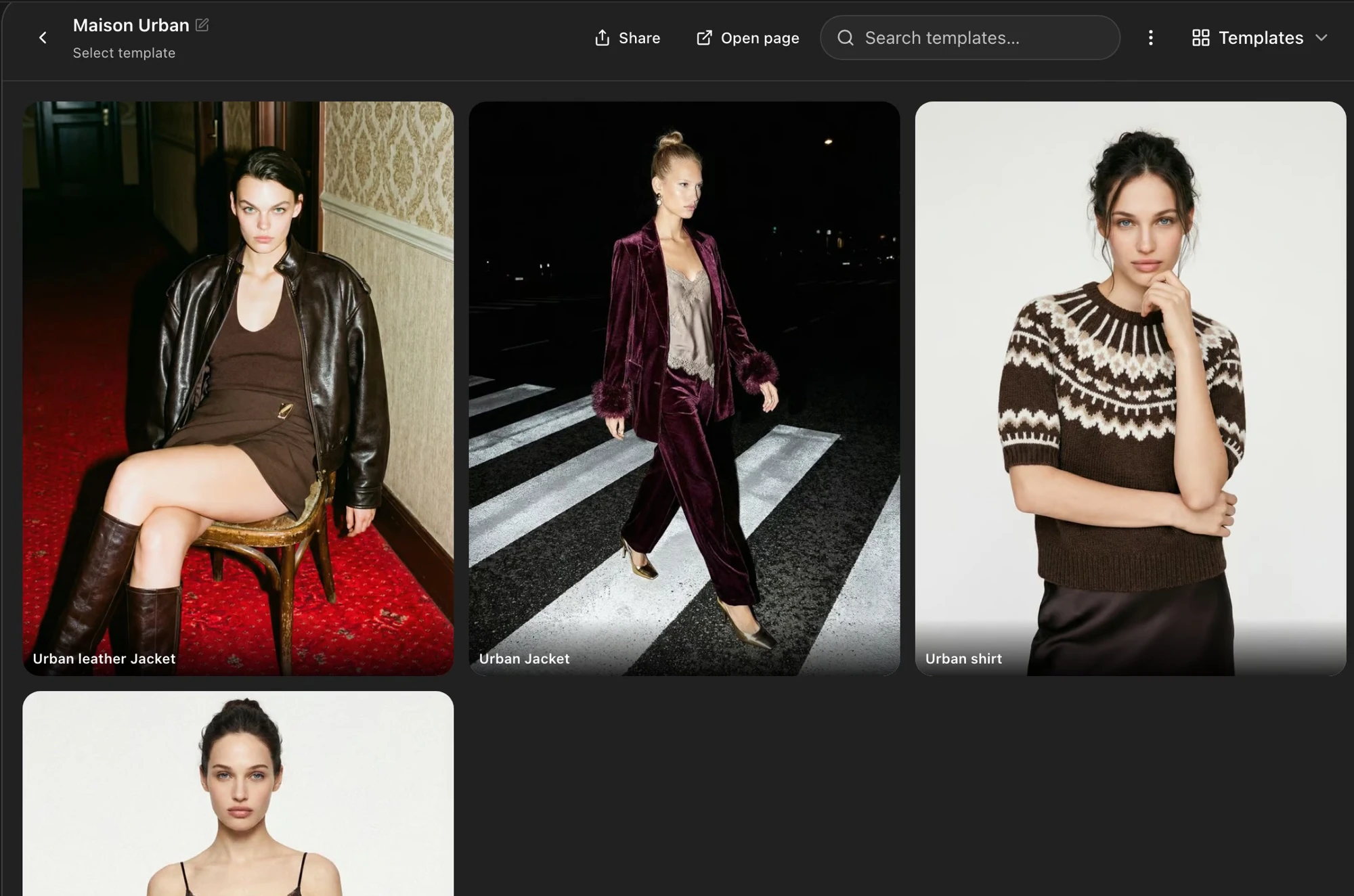
The workshop uses the Maison Urban workspace to show examples of garment-category templates. Compare the available cards and the kinds of images each template is designed to create. You can also open the workspace page to review its examples.
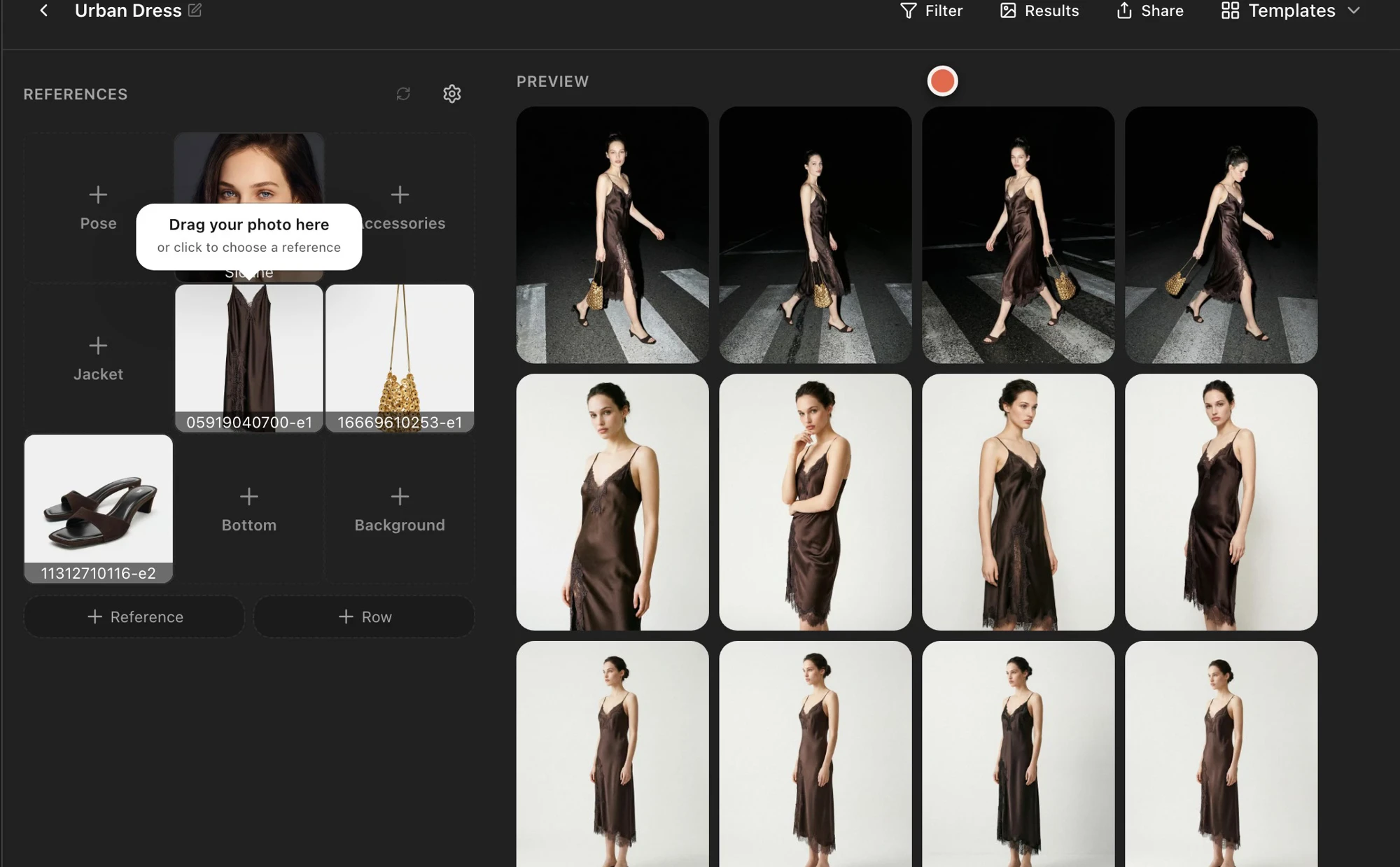
Open a category template and inspect its preview set. In the recorded Urban Dress example, the previews include full-length, walking and closer dress views.
Step 4: Choose between a brief and a category template
Use a brief when you want a change for just one generation, as in workshop 2.3. When you regularly photograph dresses, shirts and jackets differently, save a template for each category.
That lets you choose the appropriate saved shot set when you start a product, instead of adapting the same template every time.
Check your result
For each category, confirm that the template’s poses, framing and styling instructions show the garment clearly. Check the selected template before adding your next product references.
Continue with the reusable lookbook workflow review.