AI Tools for Fashion and Ecommerce: A 2027 Buying Guide
For a fashion team planning its 2027 production, we recommend starting with Astria when the job includes a reusable brand direction, accurate products, lookbooks, campaigns and finished assets. Its strongest case is the connection between the Agent, templates, Lynx detail refinement, Darkroom and workflows in Claude, ChatGPT and Codex.
The right comparison starts with your deliverable. A product-page image, an editorial series and a fashion film need different kinds of control. The useful question is how much approved work survives when you change the garment, correct a logo or hand the next collection to a colleague.
Published by Astria. Reviewed November 11, 2026, for teams planning 2027. This guide compares documented workflows and existing Astria examples; it is not a matched quality benchmark or a prediction of future releases.
Which tools belong on your shortlist?
Use the final column to turn a feature list into a practical evaluation. These are suggested starting points, not exclusive uses: several platforms cover more than one production task.
| Tool | Consider it for | Relevant documented capabilities | Ask it to demonstrate |
|---|---|---|---|
| Astria | A repeatable fashion workflow from brand direction through finishing | Agent workspace, reusable templates, Lynx, Darkroom and assistant integrations. Product updates. | Approve one treatment, replace the SKU, correct a detail, match color and deliver the reviewed set. |
| Lumoo | Fashion teams evaluating an agent with shared creative context | Iris advertises research, scheduled workflows and visual creation, and is listed as live. Iris. | Carry an approved brief into a new product and a teammate's session. |
| FASHN | Fashion-specific agent interaction and on-model production | Product-to-model, try-on, packshots, editing, video, shared workspaces and API; the site also describes brand learning. FASHN. | Keep the same garment and cast across new views, then correct a difficult product detail. |
| Botika | On-model catalog production and editorial imagery | Flatlay and ghost-mannequin inputs, on-model images and fashion video. Botika. | Produce a coherent collection with your required crops, poses and product details. |
| Caimera | Editorial templates and fashion visual production | Catalog and editorial imagery, sketch-to-image, video, recoloring, backgrounds and templates. Caimera. | Reuse a template on an existing SKU without accidentally redesigning it. |
| Modelia | Styled outfits, accessories and pose variations | Outfit assembly, Repose, flatlay-to-model, image-to-video, Shopify app and API. Modelia. | Change one item in a layered outfit while preserving the other products. |
| Photoroom | Ecommerce image operations and product finishing | Backgrounds, staging, fashion tools, batch workflows and a connector for Claude, Cowork and Claude Code. Photoroom. | Replace backgrounds and process a product set while retaining edges, shadows and product detail. |
| Higgsfield | Campaign films, social formats and broad creative production | Image/video creation through assistants, including ChatGPT and Claude, plus reusable production presets. Higgsfield MCP. | Turn your approved product imagery into motion and inspect garment continuity through every shot. |
If your priority is API-driven catalog processing, add Claid. Its published tools include fashion imagery, backgrounds, enhancement, video and automation. Include a simple image-model-plus-manual-editing workflow as a baseline, too: it helps reveal whether the specialized platform earns its place in your process.
What people actually want answered
The questions behind this guide came from actual X replies, Instagram comments, and other creators' and competitors' LinkedIn discussions. Three are especially useful:
- On X, a reader asked whether a conversational lookbook starts with a hero image or the entire sequence. Plan the sequence first, then approve a pilot before producing the full set. Original question.
- Under Shreya Jain's LinkedIn lookbook, a creative asked whether the template came from Astria or from the creator. You can build your own reusable creative treatment; distinguish that generation template from the final page layout. Shreya described making her own prompt-template system. Discussion.
- Under Natalie de Groot's Lumoo work, another creator asked whether she sketches first. Choose inputs according to the job. Sketches help communicate a design concept; an existing product for sale needs photographs showing its actual construction, colors and details. Discussion.
Other comments raised unwanted changes during editing, account confusion and whether a paid workflow was worth it. Those deserve concrete answers, too.
Where Astria is especially useful
1. An Agent inside the visual workspace
An agentic GUI lets you describe the job while working with the references and results. In Astria, generation, templates and workspaces share the interface, and teams can collaborate in Agent conversations. That gives an art director a place to establish the treatment and review the images together. Workspace update.
Use that interface to make decisions explicit: which product is being photographed, which model is approved, which views are required and what must stay fixed. A good first assignment is a small complete set—front, three-quarter and a supported detail—so you can assess both direction and fidelity before expanding.
An agent still needs an approval standard. Ask it to identify missing references and stop at the pilot for review. This also makes the workflow more accessible to a brand owner who knows the desired result but does not want to build a production script.
2. Teach the brand direction, then make it reusable
“Brand DNA” becomes useful when it describes decisions the next image can follow. Bring your approved imagery and explain the packshots, cast and audience you want. Astria's website-intake and template workflows provide a way to turn that direction into references and a reusable treatment. Documented intake and template workflow.
For example, give the Agent a brief like this:
Build a reusable lookbook treatment for this collection. Use the supplied product photographs as the product evidence. Our audience is adults aged 30–50; cast adults in that range. Use our approved warm-gray background reference, soft directional light and relaxed standing poses. Deliver front, three-quarter and back views where the references support them. Keep the model, camera height and styling consistent. Ask about missing product views. Show one pilot for approval before running the remaining SKUs.
Add the exact background color or reference, preferred crop, expression, locations, styling exclusions and the audience's context. Separate a clean PDP treatment from a campaign treatment if they serve different purposes.
Then save the approved setup. Astria's published multi-SKU demonstration shows one template carrying a fixed person, styling and three views across several shirt colors. That is a concrete reuse pattern. To evaluate deeper “learning,” test whether a correction carries into a fresh conversation and another teammate's run; a remembered preference and a saved template are different things.
3. Lynx for the details that make a product recognizable
A frame can look convincing while its label, small text or printed artwork is wrong. Lynx uses product references to refine those small details during generation. Attach the references, open the composer's Advanced options, enable Lynx, then generate. Lynx workflow.
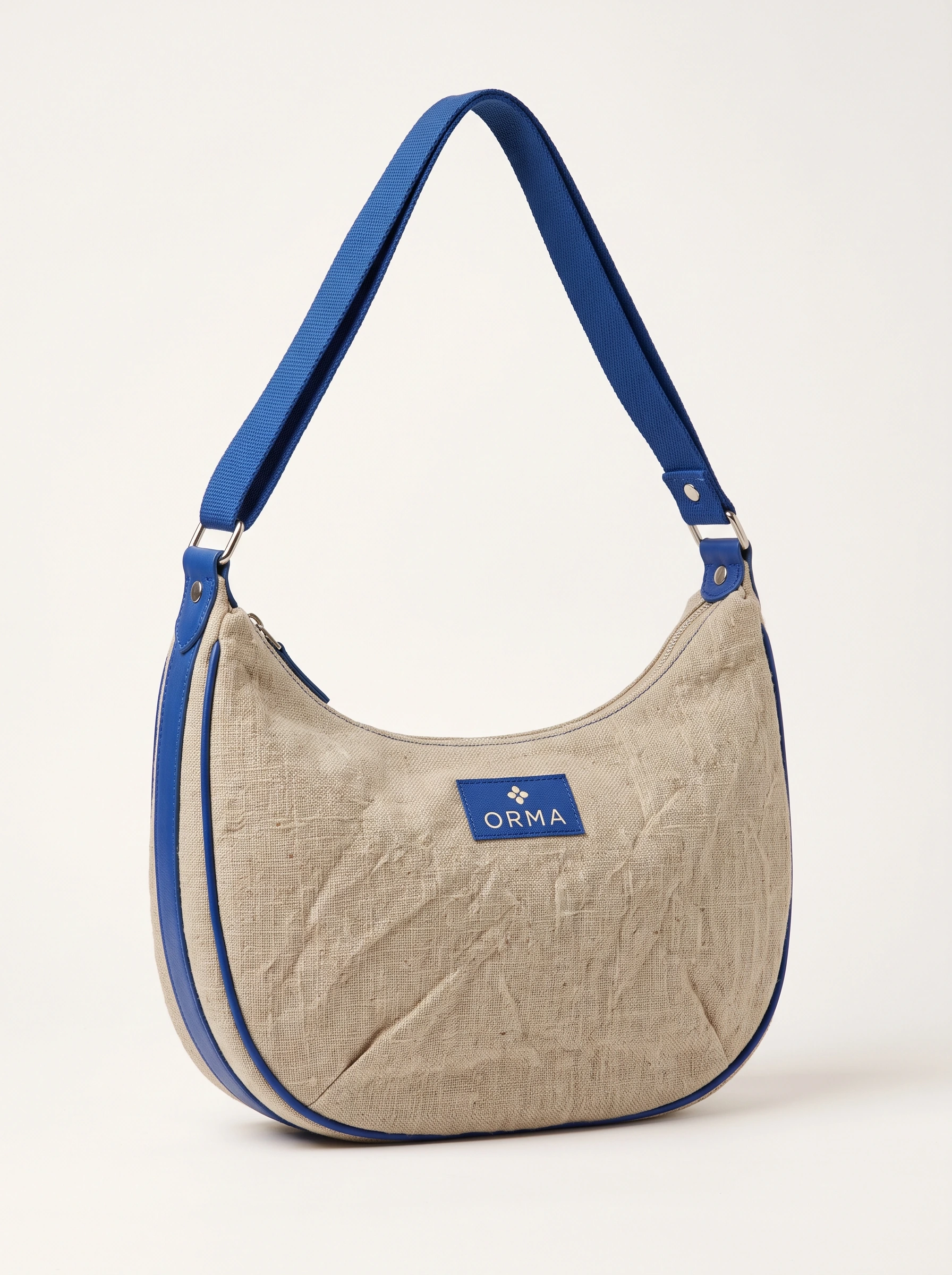
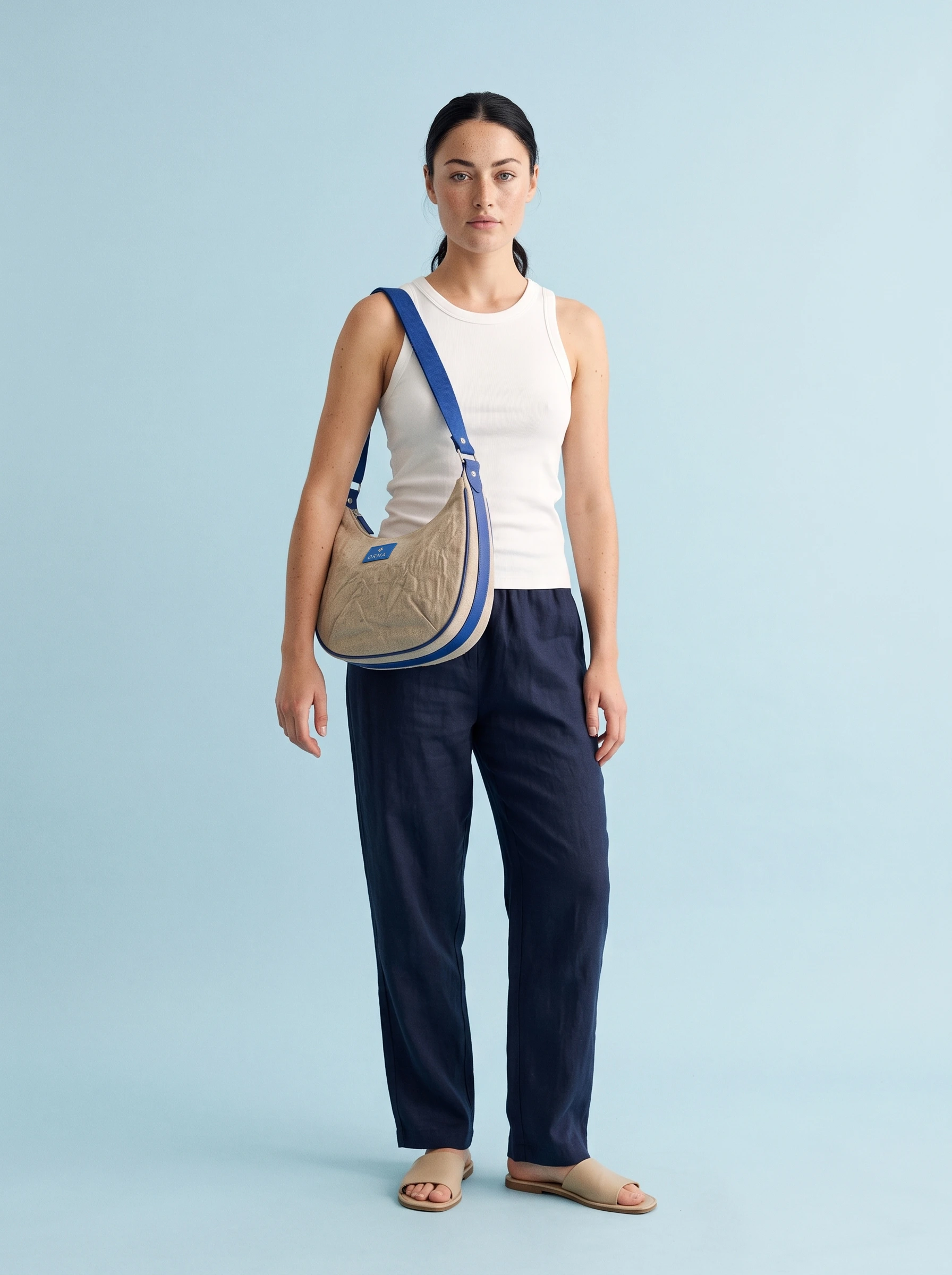
In this existing example, the malformed lettering became readable as ORMA. The label and surrounding canvas also changed, which is why the final review includes the symbol, color and weave. The Lynx guide shows the matched detail crops and full frames.
Lynx is particularly relevant when small features identify the item being sold. It does not remove the need to check every required detail, and a successful label correction does not establish accuracy across an entire catalog.
4. Darkroom for product color and the final photographic finish
Use Darkroom Color match when the composition works but the garment's color has drifted. Select the garment area and the corresponding area in its reference, then adjust Amount and Tone. This addresses color separately from the generation of the scene. Darkroom also provides photographic finishing controls, including grain, levels, LUT-based grading, halation and bloom. Color-match controls, Darkroom grading.
Keep product correction and creative grading separate in your review. First bring the product toward its approved reference; then judge the overall photographic treatment. A pleasing grade can still misrepresent a garment. Color correction also cannot repair a changed hem, missing seam or incorrect fit.
This finishing stage is a meaningful part of Astria's offering: the team can work on the selected image instead of treating every correction as another attempt to generate the whole scene.
5. Background replacement and editable post-production
For a background change, protect the already-approved product and review the result around hair, straps, transparent material and contact shadows. For a small local defect, specify the affected area and compare the entire image afterward.
Astria's Photoshop plugin is another route for professionals working on a canvas. Its v2 documentation describes selection-aware placement, feathered masks, reference controls and layer separation into a positioned group of smart objects. Those controls are useful when the delivery needs further editing.
Generated layer separation does not recover the original photographer's source layers. Evaluate the actual document you receive, including edges and the areas revealed when you move an object.
6. Claude, ChatGPT and Codex workflows with fashion skills
Astria connects to assistants so you can coordinate references, image/video creation and results from the environment where you already work. Start with the Astria connection page. Assistant support includes ChatGPT, Claude and Codex.
The useful extra is a skill that describes the production process: what to ask for, how to handle references, which decisions require approval and how to review the result. Astria publishes reusable Claude formats such as Match Cut and Day in a Life, where a person and garment references become a directed film workflow. Fashion-film skills.
For an ecommerce assignment, ask for a product manifest, a shot list, one pilot, review notes and an organized delivery. The assistant coordinates the job; Astria's tools produce the media; your team approves the product and creative direction.
Integrations themselves are no longer exclusive. Photoroom documents Claude Code support, and Higgsfield documents assistant connections and presets. Compare how well the workflow understands your products and preserves the approved treatment. A successful run in one assistant also should not be treated as proof that every host behaves identically.
7. Professionals who can turn the tool into a production
The human expertise around the software matters. A fashion campaign requires casting, styling, composition, sequencing and selection even when the images are generated.
CI898, described on its site as Astria's creative execution arm, was founded by creative director Miki Turgeman and fashion photographer and film director Shai Yehezkel. Its portfolio labels client work for brands including Noizz, Ronny Kobo, Nununu, Sacks and Nine West. That provides a concrete professional production context for evaluating Astria. CI898 portfolio.
There is also a creator-to-brand handoff opportunity. Tammy Montag's UNTOUCHABLE series is presented as an Astria template; Stav Almon's workflow describes a reusable visual world a brand can continue using. A creative director can deliver the treatment along with the images.
When reviewing anyone's portfolio, ask what was commissioned, what was experimental, what was delivered and where it ran. A recognizable brand in a creator's lookbook does not by itself prove that brand commissioned the work.
Why pay for a workflow if a general image model can make the picture?
For one isolated image, a general-purpose tool may satisfy the brief. The value of a production platform becomes easier to assess on the second product, the first revision and the final delivery.
In an older Photoshop discussion, one reader questioned whether area selection added value, while another reported resolution loss and an unintended facial change. Those October 2025 comments are reasons to test current editing behavior, not evidence that the same defects persist today. Selection question, quality objection.
Evaluate the whole job:
| Work you need | What to measure |
|---|---|
| Establish the look | Time to prepare references, choose the cast and approve a pilot |
| Produce the set | Required shot slots completed, rather than total images generated |
| Correct failures | Retries, manual retouching and unwanted changes outside the target area |
| Reuse the direction | Decisions that must be repeated for the next SKU or operator |
| Finish and deliver | Review, color work, background edits, filenames, formats and export |
Use total production effort divided by approved deliverables as your comparison. Keep rejected images in the calculation. Check current Astria pricing and the pricing pages linked from each vendor's official site instead of budgeting from an old social post.
A practical pilot before you choose
Bring the same brief and product evidence to the platforms you are considering. Pick two genuinely different products, including one with a difficult print, closure or accessory. Supply the views needed for the requested images.
- Define the deliverables. Write the exact views, aspect ratios, output dimensions, cast, backgrounds and required product details.
- Approve one pilot. Check the product first, then the creative treatment. Inspect both the full frame and close details.
- Request a specific correction. Change one small detail or background, then check that approved areas remain acceptable.
- Run the second product. Record which instructions and references carry forward and which require setup again.
- Finish and hand off. Have another person review the set and prepare the actual files needed for the store, lookbook or campaign.
If video is part of the purchase, include a short motion task and watch the whole output. Check the garment at turns and transitions, not only in the opening frame.
For Astria, make the saved treatment part of the deliverable. The next person should be able to understand the approved cast, poses, product inputs and finishing choices. Our template guide and lookbook layout guide cover the two different parts of that handoff.
Frequently asked questions
Should I start with a hero image or plan the whole lookbook?
Plan the sequence first, then approve one pilot image before generating the rest. Define the opener, full looks, supported details and closing image. The pilot establishes casting and treatment; the shot list prevents a collection of attractive images from leaving required products or views uncovered.
Can I make my own Astria template?
Yes. Build and approve a creative treatment, then save it as a reusable template. Specify what stays fixed and which product references change. A generation template controls the pictures; a finished PDF, web lookbook or page layout is a separate delivery task.
Does an agent automatically know my brand's style?
Give it approved references and explicit rules for background color, casting, age range, audience, poses, framing and styling. In Astria, use those decisions to build a reusable treatment. Verify persistence by changing a preference and trying a new session or teammate; do not assume every correction becomes permanent brand memory.
What is the difference between Lynx and Color match?
Lynx refines small product details such as logos, text and prints using the references during generation. Darkroom Color match brings a selected image area closer to the color of a reference. Neither replaces a final product review, and color matching does not repair garment geometry.
Do I need a separate account for every image model?
Start with the account and connection requirements of the platform and host you intend to use. Astria provides access to its tools through its own account and supported integrations. Do not assume a subscription bought directly from another model provider covers Astria usage. The Astria Photoshop plugin and Adobe's built-in features are also separate products.
Can I use sketches instead of product photographs?
Use sketches for design exploration or to communicate a concept. For an existing SKU, supply photographs that show the actual item, including important details and any back or side views you need. If a requested angle exposes an undocumented feature, obtain a reference or choose a supported view.
How should I handle AI imagery alongside real photography?
Keep the product representation accurate and make the production method clear where appropriate. Separate real product references, synthetic casting, speculative creative work and commissioned campaigns in your records. Review representation and brand authenticity as part of art direction, and check the requirements of the channels where the assets will appear.
Start with the next collection
Choose Astria when you want the approved visual direction to become something your team can reuse: a product comes in, the treatment carries forward, details and color receive attention, and the selected images move into finishing and delivery. Bring the next SKU into the evaluation—the reuse step is where the workflow's value becomes visible.
Explore Astria's fashion workspaces · Connect your assistant · See current pricing
Research scope
The social research sampled five LinkedIn discussions by other creators and competitors, two X threads and seven authenticated Instagram posts. Instagram responses were mostly praise and access requests, with a cost objection; they are not presented as a market survey. The template-access discussion and cost objection informed the setup and budgeting guidance. Competitor capabilities were checked against the official pages linked above. Recommendations express Astria's editorial view; no comparative speed, savings or quality advantage was measured for this guide.