Shopify Product Media: Image Sizes, Video, and 3D Limits (2026)
Shopify product media is one ordered set, not three separate feature checklists. The first item may represent the product in collections and cart; the last item may never be reached. Images, video, and 3D only work when the sequence answers the shopper's questions in order.
The short version: lead with a product-identifying still, earn each richer format with a distinct job, and test the live theme on mobile. Shopify's upload maximum is not your performance budget.
A product photo and an AI packshot for the listing
This dress example shows how a product photo becomes a clean packshot. Check the garment details and your store’s image requirements before using the result.
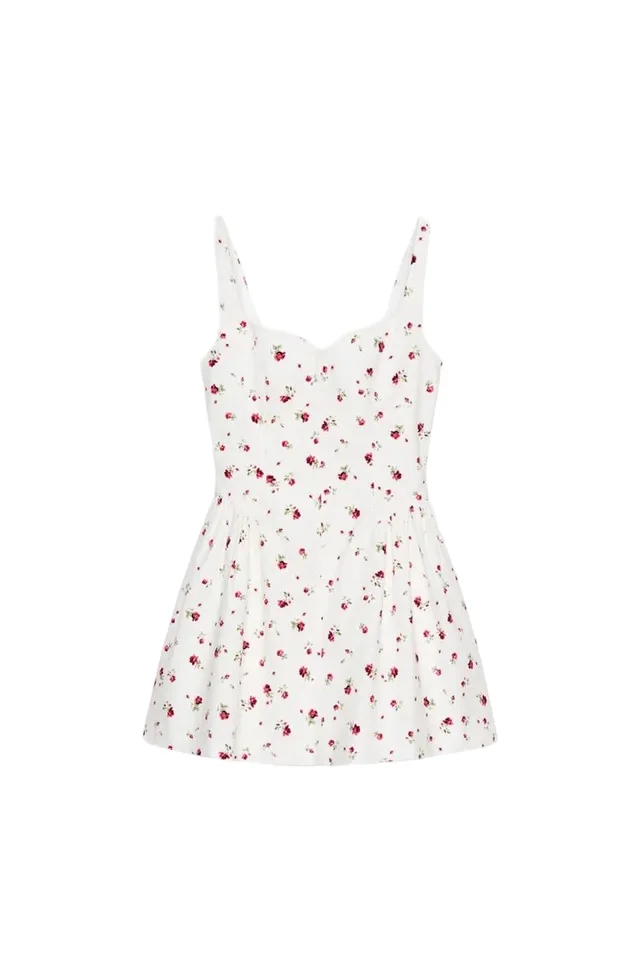
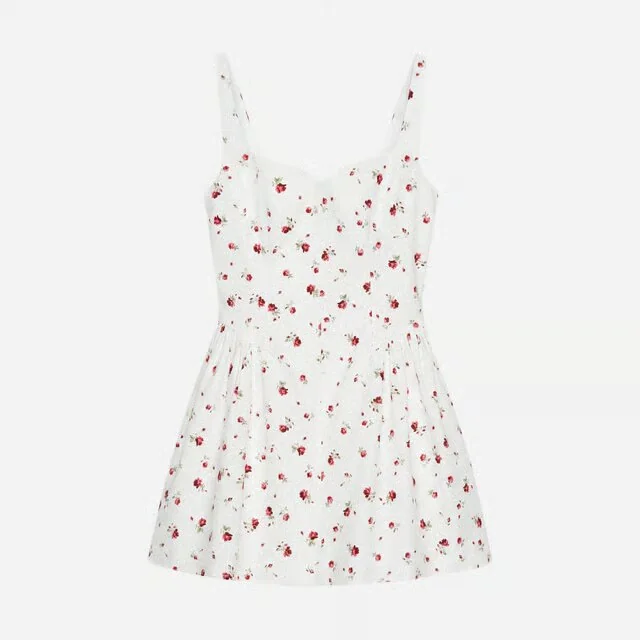
Last tested against Shopify documentation: August 31, 2026. File and plan limits are volatile; verify Shopify's product media types and media management before a bulk delivery.
The current Shopify media rules
| Media | Current Shopify requirement | Operational consequence |
|---|---|---|
| Images | Under 20 MB; up to 5000 × 5000 pixels or 25 megapixels; common image formats accepted | Use a consistent featured-image ratio and preserve a high-resolution master outside Shopify |
| 3D models | GLB or USDZ; up to 500 MB; files over 15 MB are automatically optimized | A 500 MB upload can still be unusably heavy; optimize and test the delivered model |
| Uploaded video | MP4, MOV, or WebM; up to 10 minutes, 1 GB, and 4K | Export a short commerce edit; do not treat ten minutes or 1 GB as a target |
| Embedded video | YouTube or Vimeo URL | Check privacy, branding, related-video behavior, consent, and performance in the theme |
Shopify allows up to 250 media items on a product. It also applies store-level video and 3D upload counts and video-storage limits by plan. Those plan numbers can change, so model the catalog against the live help table rather than copying a limit into a permanent production brief.
Two constraints are easy to miss:
- The first item is the product's featured media and appears beyond the PDP, including collection, cart, checkout, and home contexts.
- Videos and 3D models cannot currently be used as product variant media.
That second point changes colorway production. A shared black-jacket video may still appear while a shopper selects cream, unless the theme or implementation deliberately manages the experience. Do not promise variant-specific motion without testing the actual store.
Give each format one job
Images: identify and prove
Images load quickly, scan well, zoom, and map to variants. They are still the source of truth for exact color, construction, texture, and what is included in the sale.
A useful apparel image set normally covers:
- Clear front or three-quarter product identification
- Back construction
- One or two material, hardware, seam, or trim details
- On-model fit and scale
- A second pose or use state where movement matters
- Colorway-specific views
Ghost mannequin can isolate construction without a visible body; the complete ghost mannequin guide covers the insert views and joins it needs. If approved physical references will also produce on-model, lifestyle, or campaign derivatives, use the AI product photography workflow to separate product evidence from generated variation. For a catalog where every extra angle multiplies across variants, calculate the real product photography cost per SKU before setting the standard.
Video: show change over time
Use video for movement, a closure opening, a pocket in use, fabric behavior, scale in motion, assembly, or a controlled rotation. If nothing changes, a still usually communicates the same information faster.
Start the video on the product, not a logo sting. Design the first frame as a useful poster even before playback. Keep critical information legible without audio, provide captions when speech carries meaning, and avoid fast edits that make inspection harder.
Shopify accepts long and large video files, but the browser experience depends on connection speed and theme behavior. Test load, poster, play controls, looping, fullscreen, captions, and the return to the gallery after playback.
3D: let the shopper choose the view
Interactive 3D is for controlled inspection, configuration, and—in supported experiences—augmented reality. It is not another word for video. A GLB or USDZ model carries geometry and materials; the shopper can move the camera instead of watching a fixed turn.
Use it where underside, hardware, shape, or spatial scale is a real buying question. Footwear, bags, accessories, and furniture are stronger candidates than soft garments with size-dependent drape. 3D packshots for ecommerce covers the format distinction, modeling inputs, performance gate, and AR review.
The right order is a question order
There is no universal seven-slot formula, but this is a defensible starting sequence for apparel:
- Featured still: identify the exact product and selected color at thumbnail size.
- Alternate product view: show the back or the construction hidden in the hero.
- Fit or scale: on-model view with an explicit sample size and useful body framing.
- Critical detail: texture, closure, pocket, lining, sole, hardware, or finish.
- Motion: show fabric behavior, use, opening, or a short rotation.
- Additional proof: interior, care-relevant detail, second scale view, or colorway evidence.
- Interactive 3D: place it earlier only when free inspection is central to the purchase.
This is a hypothesis, not a rule. A technical bag may need the opening demonstration in slot three. A sculptural shoe may benefit from 3D before a lifestyle frame. A simple tee may need neither.
Write the unanswered question under every slot. If two neighboring assets answer the same question, remove one or replace it with evidence the gallery lacks.
The featured image has a wider job
Shopify calls the first item the main or featured media. Because it appears away from the product page, judge it in four states:
- A small collection-card thumbnail
- A search result or recommendation rail
- The cart with the selected variant
- The large product viewer
A dramatic close crop that works in the viewer may be illegible in a collection grid. A video or 3D poster may not clearly identify the chosen color. A lifestyle image may make the product too small. The safe default is a clear, colorway-specific still with a consistent aspect ratio and product scale across the catalog.
Shopify says square product images usually display best at 2048 × 2048 pixels, but theme layout and brand art direction still decide the ratio. The important part is consistency: collection neighbors should not jump in apparent size because their whitespace was handled differently.
Theme support is part of production
All Shopify themes support product images. Video and 3D need a theme that supports them or custom theme work. Shopify's help center says its Online Store 2.0 themes and Horizon family support those media, while third-party themes depend on their current implementation.
Do not sign off media in the admin preview alone. Test the storefront:
- Desktop mouse and keyboard interaction
- iOS and Android touch behavior
- Swipe conflict between gallery and 3D rotation
- Poster image before video play or model load
- Loading, failure, and reduced-data states
- Zoom and fullscreen behavior
- Captions and controls
- Selected variant after navigating media
- Collection and cart thumbnails
- Core Web Vitals and real mobile load time
The theme may crop a thumbnail differently from the main viewer. It may lazy-load media well or badly. It may hide controls at one breakpoint. Those are shipping defects even when every source file meets Shopify's upload specification.
Variant and colorway strategy
Because images can map to variants while video and 3D cannot, choose one of three honest patterns:
Shared rich media. Use one video or model only when the demonstrated behavior and visible color are genuinely common. A black product in a shared clip beside a selected cream variant is not neutral.
Color-neutral demonstration. Frame the media around function or construction where color does not mislead, then keep color proof in variant images.
Custom implementation. If variant-specific rich media is commercially necessary, scope theme or app work and test it. Do not encode a workaround in filenames and assume Shopify will understand it.
Keep one approved photographed image per colorway as the truth reference. Generated recolors and derived motion still need comparison against the sold variant before publication.
A collection-scale media map
One row per SKU/variant prevents the PDP order from becoming a manual drag-and-drop exercise:
| Field | What to record |
|---|---|
| Product / variant | Handle, SKU, color, size group |
| Media role | Featured, back, fit, detail, video, 3D, poster |
| Buying question | What this asset answers |
| Source of truth | Approved photo, physical sample, measured model |
| Shopify position | Intended order and variant mapping |
| Accuracy checks | Color, construction, logo, hardware, scale |
| Accessibility | Alt text, captions, audio dependence |
| Performance | File size, duration, model weight |
| Status | Review owner, approval, replacement date |
Astria's useful role here is not replacing every source image. It is storing product references and an approved visual treatment so reviewed derivatives—on-model frames, details, social crops, and motion—can be produced consistently across the collection. The base evidence stays attached to the SKU.
Measure the gallery, not the novelty
Instrument media selection, video starts and completions, 3D loads and interactions, zoom, add-to-cart, purchase, and returns. Segment by device and product category.
Do not read “people who used 3D converted more” as proof that 3D caused the conversion. High-intent shoppers are more likely to inspect everything. Prefer a controlled test or a phased rollout across comparable products, and watch performance cost alongside commerce behavior.
The decision is not whether video or 3D is impressive. It is whether a specific asset makes the product easier to buy from.
Frequently asked questions
What product media does Shopify support?
Shopify product media supports images, hosted or embedded video, and interactive 3D models. Images work in all themes; video and 3D require a compatible theme or theme customization.
What should the first Shopify product media item be?
Usually a clear still image that identifies the exact product and colorway at thumbnail size. Shopify uses the first item as featured media in other storefront contexts, including collection and cart surfaces, so an autoplay clip or ambiguous detail is rarely the safest default.
Can Shopify video and 3D models be assigned to variants?
No. Shopify's current help documentation says videos and 3D models cannot be used as product variant media. Images can represent variants, so colorway and variant logic needs to be designed around that constraint.
What are Shopify's current video limits?
For directly uploaded product video, Shopify currently allows MP4, MOV, or WebM files up to 10 minutes, 1 GB, and 4K resolution. It also supports YouTube and Vimeo embeds. Treat these as upload ceilings, not recommended production targets.
Should every Shopify product have video and 3D?
No. Add a format only when it answers a buying question better than the existing gallery. Video is useful for movement, use, and changing detail; 3D is useful for shopper-controlled inspection and scale. Extra media that repeats the same information adds load and review work without improving the decision.
Explore Astria for fashion and ecommerce.
For current Astria rates and billing terms, see Astria pricing.