Ghost Mannequin Photography: How It's Shot, Joined, and Checked
Ghost mannequin photography is not a one-click cutout. It is a small composite: the garment is photographed while holding body volume, the support is removed, and separately captured hidden areas are joined back in.
The short version: the result lives or dies on the source views. A clean neck join comes from photographing the inside neck, not asking a retoucher or model to guess it.
From a dress photo to a packshot
The generated image gives the dress volume without a visible mannequin. Compare the neckline, seams, and hem with the original photo.
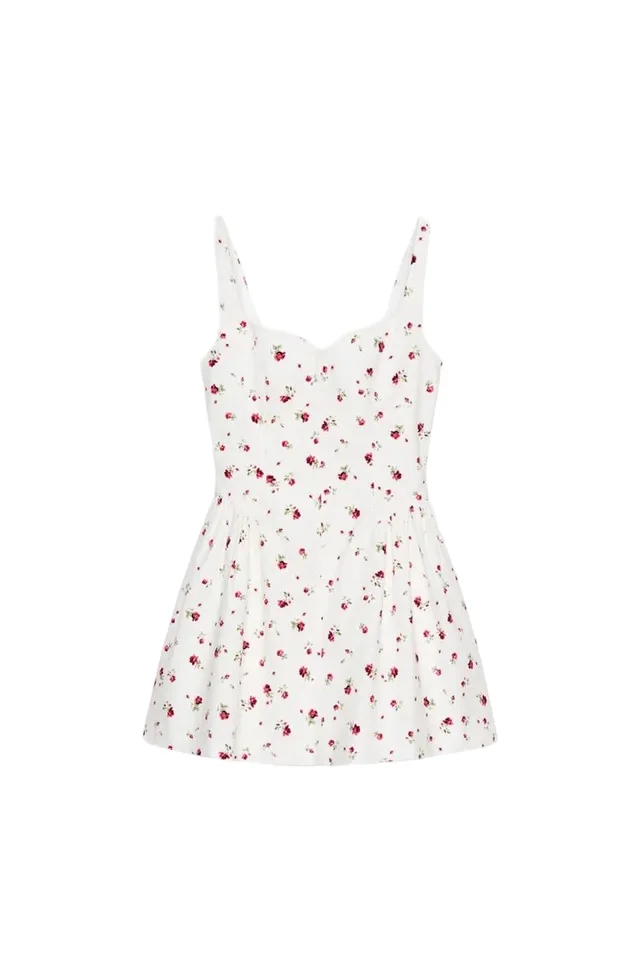
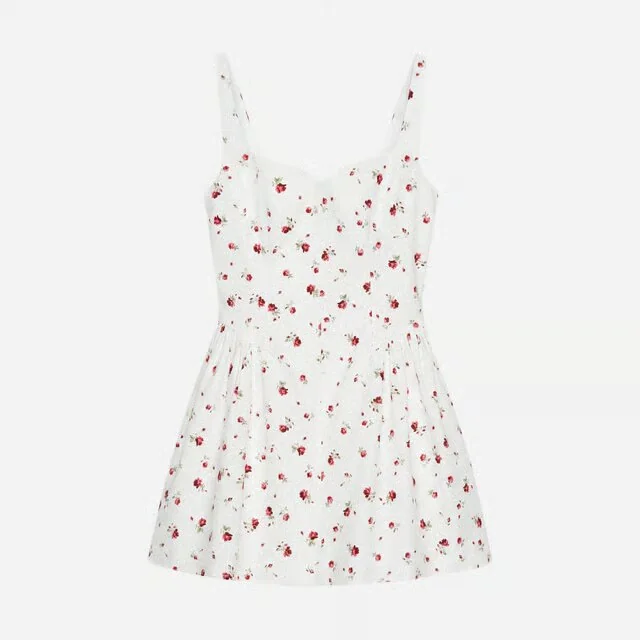
Details hidden in the original photo still need checking against additional product photos.
Last fact check: August 31, 2026. Marketplace main-image rules vary by category and region; verify the current Seller Central guide before delivery.
What the technique actually does
If you are deciding whether to keep this format, start with ghost mannequin alternatives. That comparison weighs replacement workflows; this guide covers capturing and finishing the hollow garment image.
A flat lay documents a garment on a surface. A hanger shot suspends it from the shoulders. A ghost mannequin gives it the chest, waist, sleeve, and hip volume of a worn object, then removes the visible support. It is sometimes called invisible mannequin or hollow-man photography.
That makes it useful for ecommerce because the product remains the only visible subject while construction is easier to read than in a flat lay. It does not prove fit. The volume comes from one mannequin form, pinning choices, steaming, camera position, and retouching.
The usual production is:
- Style and photograph the garment on a mannequin.
- Photograph the back and any hidden interiors separately.
- Mask out the mannequin.
- Composite the inside collar, neck, hem, or other hidden areas into place.
- Rebuild only real edges, then normalize background, crop, and shadow.
- Review the composite against the garment before export.
The neck is where weak work reveals itself. A collar that is too deep, an impossible lining, or a rear label floating at the wrong angle means the hidden view was missing or the join was rushed.
The capture list
Every garment
- Front on mannequin, full garment visible
- Back on mannequin, matched camera height and distance
- Inside neck and collar with the garment reversed or supported separately
- Front and back detail references for closures, labels, trims, and texture
- Color target or approved reference under the same light
Add views when the construction needs them
- Hood: inside hood, hood attachment, and back fall
- Open jacket or shirt: inside front edges, facing, lining, and under-collar
- Dress or top with deep neckline: inside front and back necklines
- Trousers or skirt: inside waistband and any area revealed by the intended hollow opening
- Rolled or turned cuff: inside cuff and sleeve opening
- Asymmetric garment: both sides and every fastening state used in the final
The rule is simple: if the mannequin currently hides an area that will appear in the finished image, photograph that area. “Repair in post” is not a source plan.
Setup before the shutter
Use a mannequin close to the sample size. A garment stretched across a form does not become truthful when the form disappears. If the sample is larger, pin from positions that will remain hidden and keep tension symmetrical. If it is smaller, use the correct form rather than forcing closures or changing silhouette.
Steam or press deliberately. The objective is not to erase every wrinkle; it is to show the material as it should arrive while retaining believable fabric behavior. Over-clipping and heavy retouching produce a hard paper silhouette that no longer describes the garment.
Fix the camera, focal length, height, lighting, and garment centerline across the set. Front, back, and insert views need to agree geometrically. A collar insert shot from above cannot be dropped convincingly into a body frame photographed straight on.
Use soft, even light that resolves texture without a hard shadow crossing the garment. Keep exposure and white balance fixed across colorways. Shopify recommends consistent aspect ratios for featured images because collection grids display them side by side; that consistency begins in capture, not in the final crop. See Shopify's product media guidance.
Which garments work best
Strong candidates: shirts, simple tops, tailored jackets, coats, knitwear with stable edges, dresses with clear construction, trousers, and skirts. These benefit from visible volume and have interiors that can be captured predictably.
More demanding: sheer fabric, lace, fringe, open knits, reflective materials, complex layering, very loose drape, deep gathers, and garments with many ties or straps. Removing the support through transparency can become a pixel-level job, and reconstructing hidden layers can turn into invention.
Often better on-model: garments whose central question is fit, movement, stretch, or proportion on a body. Ghost imagery can show the product cleanly, but a shopper may still need a real or reviewed on-model view. Flat lay to on-model covers the source and review requirements for that derivative.
Retouching without breaking the garment
Build from evidence
The base silhouette comes from the dressed frame. The hidden interior comes from the insert frame. Use cloning or generation only for small continuity repairs where the underlying construction is known. A plausible lapel or seam is not necessarily the sold lapel or seam.
Preserve asymmetry that is real
Do not mirror one sleeve, pocket, or lapel over the other unless the garment is actually symmetrical and the duplicated details remain correct. Logos, embroidered marks, button sides, zipper pulls, and directional prints expose mirroring immediately.
Keep fabric physics believable
The garment should hold volume where the form supported it, then fall according to its material. Removing every tension cue leaves an object floating in a vacuum. Retain controlled depth and a restrained grounding shadow if the channel permits it.
Match the set, not just the frame
Review twenty outputs together. Shoulder width, hem height, scale, crop, background, and shadow should stay fixed across the catalog. A beautiful individual composite can still damage the collection grid if it is 8% larger than every neighboring product.
Where AI belongs
AI is useful for segmentation, background cleanup, small edge reconstruction, shadow normalization, and applying a reviewed treatment across many products. It can also create alternate packshot or contextual assets from an approved reference set.
The risky part is hidden geometry. If only a front view exists, a model may invent the inside collar. If a sleeve is folded behind the torso, it may generate a plausible cuff position. Those are generated derivatives, not product evidence.
Use a three-level review queue:
- Low risk: solid, simple, opaque garments with complete source views; batch and spot-check.
- Medium risk: prints, hardware, layered collars, open fronts; review every output.
- High risk: sheer fabric, intricate construction, asymmetric details, or missing inserts; capture again or send to manual retouching.
The point of automation is to spend human attention where construction makes it valuable, not to remove the approval gate.
Shopify and Amazon implementation
Shopify
Shopify accepts product images alongside video and 3D media, and its image service creates sizes for different storefront contexts. A ghost mannequin frame can be the featured image when it is the clearest representation of the product, followed by back, detail, on-model, scale, and motion views in the order that answers buying questions. The Shopify product media guide covers ordering and technical limits.
Keep the ghost master uncropped, then make the storefront crop from it. Do not permanently destroy sleeve, hem, or whitespace just to fix one theme breakpoint.
Amazon
Do not transfer the Shopify choice automatically. Amazon's public advertising guidance recommends a plain white background, at least 80% product fill, four or more views, and a minimum 1,000-pixel dimension for zoom. But Seller Central category rules decide whether a particular apparel main image must be on a human model or off-model, and those rules can differ by garment type and marketplace.
Check the live category style guide first. Use the ghost image as a supporting view when it clarifies construction and the category permits it. The main-image workflow is detailed in Amazon product images for apparel.
The pre-publish QC gate
Check the final image against the physical sample, not against the retoucher's previous export:
- Neck and collar depth are anatomically and structurally plausible
- Inside label, facing, lining, and seam positions are correct
- Shoulder width and slope match the garment
- Sleeves are equal only where the garment is equal
- Buttons, buttonholes, zipper, pockets, and hardware are complete
- Directional prints cross seams correctly
- Fabric transparency and edge softness are believable
- Hem is level where intended and retains real drape
- Color matches the approved photographed reference
- Shadow is allowed by the destination and consistent across the set
- Scale, crop, and whitespace match the catalog standard
- Front, back, and detail files map to the correct SKU and colorway
If the reviewer cannot tell whether an odd join is a real feature or a composite error, return to the sample. Do not resolve ambiguity by making the image prettier.
A reusable file manifest
At collection scale, name and track the views. A minimal row needs:
| Field | Example |
|---|---|
| SKU / variant | JK-104-NVY-M |
| Source view | front_dressed, inside_neck, back_dressed |
| Product source of truth | Sample version or approved photo set |
| Output role | Shopify featured, Amazon alternate, wholesale line sheet |
| Retouch method | Manual composite, AI-assisted cleanup |
| Accuracy checks | Color, collar, hardware, print, hem |
| Approver / status | Named reviewer, approved or reshoot |
That manifest is what turns a retouching trick into a production system. It also makes cost per SKU honest: capture, insert views, retouch, review, and rework all belong in the model. See product photography cost per SKU.
Frequently asked questions
What is ghost mannequin photography?
Ghost mannequin photography shows a garment holding three-dimensional body volume without a visible person or mannequin. It is usually made by photographing the garment on a mannequin, capturing hidden areas such as the inside neck separately, and compositing the views into one clean product image.
What photos are needed for a ghost mannequin image?
At minimum, capture the dressed front and back plus separate insert views for every area the mannequin hides: commonly the inside neck and collar, and sometimes the inside hem, hood, sleeves, or waistband. Complex garments need more inserts, not more invention in retouching.
Is a ghost mannequin image the same as an on-model photo?
No. Ghost mannequin photography isolates garment shape and construction without a visible person. On-model photography shows styling, scale, and one fit state on a particular body. Most apparel catalogs benefit from using each for the question it answers.
Can AI create ghost mannequin images?
AI can help remove a mannequin, reconstruct simple hidden regions, normalize backgrounds, and create controlled derivatives. It can also invent a plausible but wrong neck join, seam, lining, or shape. Use supplied insert views and require visual approval against the actual garment.
Can ghost mannequin photography be used as an Amazon main image?
Do not assume so. Amazon main-image rules vary by category and marketplace, and some apparel rules require adult clothing to be shown on a human model while other product types must be off-model. Check the current category style guide in Seller Central before producing the main-image set.
Explore Astria for fashion and ecommerce.
For current Astria rates and billing terms, see Astria pricing.