Amazon Product Images for Apparel: Main-Image Rules, Detail Views, and Video
An Amazon main image is not a campaign image with the background removed. It is a marketplace compliance asset: product identification first, then persuasion in the alternate views.
The short version: read the current category guide before shooting, keep the main image literal, and use the gallery to answer fit, construction, texture, scale, and use. Shopify assets can supply source material, but the Amazon set needs its own manifest and approval gate.
A product photo and an AI packshot for the listing
This dress example shows how a product photo becomes a clean packshot. Check the garment details and your store’s image requirements before using the result.
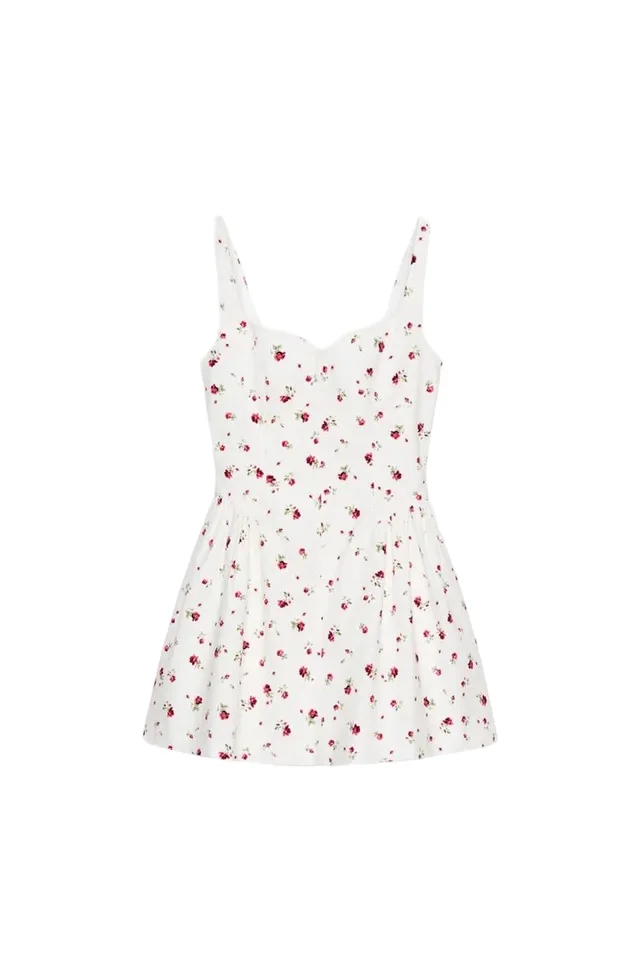
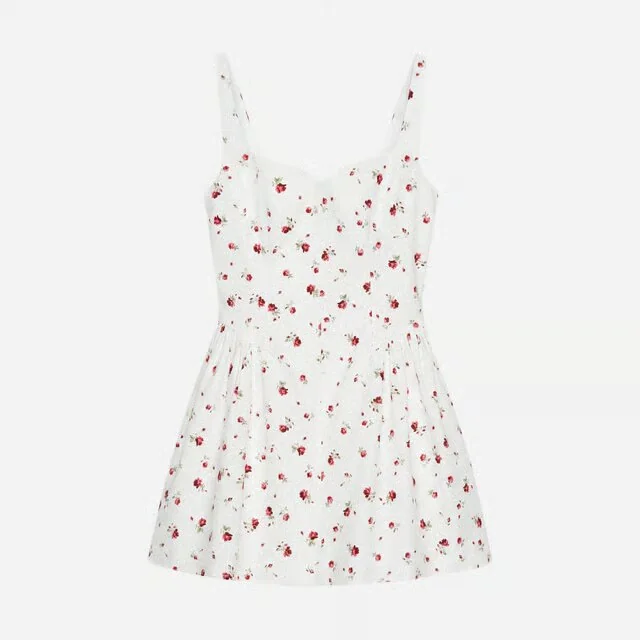
Last fact check: August 31, 2026. Amazon requirements vary by marketplace, product type, account, and placement. The signed-in Seller Central product image requirements and category style guide control the listing; this article is a production framework, not a substitute for those rules.
Main image and gallery have different jobs
The main image appears in search results, recommendations, ads, and the detail page. It needs to tell the shopper what the product is before it tells a story. The alternate views have more room to explain.
| Asset | Primary job | Production standard |
|---|---|---|
| Main image | Identify the exact item and earn the click without risking suppression | Literal product evidence, current category presentation, clean required background, no promotional decoration |
| Alternate angle | Reveal front, back, side, interior, or construction | Same SKU/colorway, matched color, scale, and grade |
| Detail | Show fabric, seam, hardware, print, label, or feature | High enough resolution to inspect; no exaggerated texture or invented feature |
| On-model / use | Communicate fit, proportion, styling, or operation | Sample size and product state should be clear; body and garment interaction reviewed |
| Infographic | Explain verified dimensions, contents, or use | Claims and units checked; readable on mobile; never substitute for product evidence |
| Video | Show movement or changing state | Product visible immediately, understandable without sound, claims reviewed |
Amazon Ads' public PDP guidance recommends four or more images, a plain white background, product fill of at least 80%, and at least 1,000 pixels in height or width for zoom. That is a useful planning floor, not the full acceptance policy. Category rules in Seller Central can be more specific and take precedence.
Read the category guide before capture
“Apparel” is not one image rule. Adult clothing, childrenswear, shoes, handbags, accessories, multipacks, and jewelry can have different model and presentation requirements. Marketplaces can also differ.
Before creating the shot list, record:
- Marketplace and product category
- Seller Central style-guide version or access date
- Whether the main image must be on a human model, off-model, or follows another category-specific treatment
- Required background value and product fill
- What must and must not be visible on the model
- Rules for props, packaging, multipacks, color charts, badges, and text
- Accepted file format and technical dimensions
- Available image, A+ Content, and video placements for the account
If the category is uncertain, resolve the browse node and listing classification first. Shooting an off-model set and discovering that the main image requires an adult human model is not a retouching problem.
Build the main image as product evidence
Use an original professional photograph of the actual sold product for the main image unless the current category rule expressly allows another method. The image should show only what the customer receives. Remove dust and capture defects; do not redraw construction.
Background
Seller Central's general standard calls for pure white on main images; Amazon's public Ads guide describes a plain white background. Produce and verify the required value rather than judging “white” on an uncalibrated monitor. Near-white gray can look elegant and still fail an automated or human review.
Product fill and crop
Amazon Ads recommends at least 80% image-area fill. Seller Central or category guidance may specify a stricter target. Fill is not permission to crop the product: retain the entire required silhouette and enough margin to avoid clipping sleeves, hems, shoes, or accessories at responsive sizes.
No campaign furniture
Do not add text, borders, watermarks, decorative shadows, color blocks, unpurchased props, or accessories that imply a bundle. If a permanent logo is physically part of the garment, reproduce it accurately; do not add a brand mark as graphic decoration.
Exact child variant
The image attached to a color child should depict that color. Generated recoloring can change texture and perceived material, and parent/child mapping errors are especially damaging because the listing tells the shopper one color while the image shows another.
A useful apparel gallery
After the compliant main image, answer the questions that drive uncertainty. A strong starting set is:
- Main image: exact product, exact colorway, compliant presentation.
- Back view: length, yoke, vents, pockets, print continuation, and closure logic.
- Fit or scale: on-model frame with useful body crop and sample-size context in the listing content where appropriate.
- Fabric detail: weave, knit, finish, transparency, or lining at realistic scale.
- Construction detail: zipper, buttons, pockets, seams, hem, sole, or hardware.
- Use or movement: the feature changing state, not a generic lifestyle scene.
- Verified dimensions or contents: only where the information prevents a likely misunderstanding.
- Additional color or styling context: only if it still represents the selected product clearly.
Do not spend three slots on near-identical poses while the back, interior, and fabric remain invisible. Every image should remove a different uncertainty.
Ghost mannequin can be an excellent construction view where the category and placement permit it, but it is not automatically a valid main image. See the ghost mannequin photography guide for the source inserts and composite checks.
Apparel accuracy is a returns issue
The easiest output to approve is a plausible outfit. The correct output is the sold garment.
Review:
- Color against an approved photographed sample, not another generated output
- Garment length and proportion on the stated sample size
- Print scale, direction, and alignment across seams
- Logo size, position, orientation, and spelling
- Button count and side, zipper length and pull, pocket count and placement
- Fabric behavior: stretch, weight, transparency, drape, sheen
- Collar, cuff, waistband, hem, lining, and closure construction
- Included pieces versus styling-only pieces
- Model anatomy and hand-to-garment interactions
If an AI process creates a new pose or scene from product references, record it as a generated derivative and require visual approval. Missing product views are not creative whitespace. A model that invents the back of a jacket has made a different product image, even if the front is perfect.
Flat lay to on-model explains which source garments convert well and where print, sheer fabric, gathering, and hardware need individual review.
Video: distinguish listing media from Sponsored Brands
Amazon has several video placements with different eligibility and specifications. Do not copy one ad specification into a PDP delivery sheet.
For any commerce video, show the product immediately, make the first frame useful, and ensure the story survives muted playback. Demonstrate movement, closure, texture under changing light, pocket access, scale, or use. A rotating product clip is useful when it exposes new surfaces; it is decoration when every frame repeats the same front view.
For Sponsored Brands video specifically, Amazon's current public specification says:
- The unit autoplays when at least half of it is on screen
- It starts muted
- The product should appear within the first few seconds
- Accepted duration is 6 to 45 seconds, with 20 seconds or less highly recommended
- Accepted dimensions are 1280 × 720, 1920 × 1080, or 3840 × 2160 in 16:9
- Important text should avoid the lower-right control area
Verify the current Sponsored Brands video specification for codecs, frame rates, file size, language, safe area, and policy before export. Those details apply to that ad unit, not automatically to every Amazon video surface.
Shopify source, Amazon derivative
A shared master capture can reduce duplication, but “shoot once” does not mean “publish the same file everywhere.”
| Master asset | Shopify use | Amazon use |
|---|---|---|
| Clean high-resolution product photo | Featured image in the brand's chosen ratio | Category-compliant main-image derivative |
| Front / back / details | Flexible gallery order | Alternate views after main-image approval |
| On-model capture | Fit, styling, editorial sequence | Main or alternate only as category rules allow |
| Ghost mannequin | Featured or construction view | Alternate or main only where current rules permit |
| Short motion master | Hosted product video | Placement-specific Amazon export and policy review |
| True 3D model | Interactive Shopify media where theme supports it | Not a substitute for Amazon's required main image |
The Shopify product media guide explains that platform's file limits, theme support, order, and variant constraints. The broader AI product photography guide separates approved physical evidence from generated derivatives. Build channel assets from the same product source, then attach separate roles, crops, and approvals.
The Amazon asset manifest
Track at least:
| Field | Example |
|---|---|
| Marketplace / category | US / Clothing |
| ASIN / parent / child | Exact listing relationship |
| SKU / colorway | Sold product represented |
| Asset role | MAIN, PT01, detail, A+ module, video |
| Source | Original capture ID or approved master |
| Method | Photography, composite, generated derivative |
| Rules checked | Category guide date, background, fill, model rule |
| Accuracy checked | Color, construction, logo, inclusions, claims |
| Approver | Named reviewer and date |
| Status | Ready, rejected, rework, replaced |
This prevents a common failure: a compliant source is exported correctly, then attached to the wrong child ASIN or overwritten by an older derivative.
Pre-upload checklist
- Current Seller Central category guide has been reviewed for this marketplace
- Main image uses the permitted model/off-model treatment
- Required background and product fill are verified
- Entire required product is visible and the crop has safe margin
- No graphic text, border, watermark, badge, or confusing prop on main image
- Product is the exact SKU and color child
- File dimensions support zoom and meet the live technical rule
- Gallery covers back, fit/scale, material, and decisive construction details
- All measurements and claims match verified product data
- Generated derivatives have passed garment-level review
- Video matches its exact placement specification and works muted
- Files are mapped to the correct ASIN roles in the manifest
Amazon can suppress or remove noncompliant images. Make the policy check a production step, not a rescue after upload.
Frequently asked questions
What should an Amazon apparel main image show?
It should identify the exact product being sold, use the background and presentation required by the current category style guide, show the product clearly at useful scale, and contain no unsupported props, promotional text, borders, or watermarks. Apparel model requirements vary by category and marketplace, so check Seller Central before production.
How large should Amazon product images be?
Amazon Ads publicly recommends images at least 1,000 pixels in height or width so zoom can be enabled. Produce larger clean masters for crop flexibility, but validate the current technical and category requirements in Seller Central before upload.
How many images should an Amazon apparel listing have?
Amazon Ads recommends four or more high-quality images. Apparel usually needs enough views to cover the compliant main image, front and back, fit or scale, fabric and construction detail, and any feature that would otherwise surprise the buyer. Use each slot to answer a different question.
Can AI-generated apparel images be used on Amazon?
Use an original product photograph for the main image unless the current Amazon category policy expressly permits another method. Generated derivatives can invent color, fit, seams, logos, or hardware, so review every supporting image against the sold garment and keep claims grounded in verified product information.
What should an Amazon apparel video show first?
Show the product immediately and make the opening understandable without sound. For Sponsored Brands video specifically, Amazon says the unit autoplays muted and recommends showing the product within the first few seconds; its current accepted duration is 6 to 45 seconds.