Astria vs Photoroom: Fashion Production and Catalog Workflows (2026)
Photoroom and Astria both turn product references into fashion imagery. Start with Photoroom when catalog editing and distribution are central to your brief; test Astria when you want to build a collection around a reusable creative template. Both deserve a garment-fidelity test before production.
Evidence status: Astria-authored comparison of public product documentation, reviewed October 15, 2026. We have not run a matched output-quality benchmark against Photoroom.
Quick comparison: what are you trying to deliver?
| Requirement | Photoroom: published offering | Astria: starting point | Pilot decision |
|---|---|---|---|
| Put garments on models | AI Fashion Models with pose and background selection | Product references in a fashion template | Check garment details and casting together |
| Reuse a brand treatment | Saved custom models, Brand Kit and layouts | Reusable templates and brand workspaces | Extend an approved look to a new garment |
| Operate a product catalog | Batch editing, catalog management and API | Reference-led generation and API workflows | Follow a SKU from input to approved export |
| Produce a lookbook | Photoroom includes lookbooks in its fashion offering | Inspect Astria's public collection examples | Review the sequence, styling and crops as a set |
| Control operating cost | Check the intended app or API workflow | Check the selected workflow and output settings | Include review and correction effort |
These are documented capabilities and evaluation criteria. They are not measured quality rankings.
Photoroom review: a broad catalog platform
Photoroom's platform overview describes product generation, background editing, batch processing, catalog management, team workspaces, an API and an MCP connector. It is a relevant option for teams standardizing assets from many suppliers and preparing them for several channels.
Its AI Fashion Models page adds an important fashion-specific detail: teams can save custom models in Brand Kit for later collections. The documented flow includes product uploads, model choice, pose, background and output dimensions. Lookbooks are explicitly in scope.
That makes the buying question more precise: can the same setup meet both your catalog rules and the creative brief? A clean listing crop and an editorial opening image have different acceptance criteria, even when they show the same jacket.
Where Astria fits
Astria's fashion offering starts with a creative template and product photos. The brand lookbooks gallery gives a team concrete collection treatments to inspect before building its own.
Evaluate Astria when the photographer, art director or agency needs to establish a look that a brand team can reuse. Bring the actual reference set and ask a colleague to extend the approved treatment. The useful result is a workable handoff, including instructions for changes that need creative review.
A practical pilot: the supplier catalog meets the campaign
Use six garments: a plain knit, patterned shirt, dark jacket, reflective piece, layered outfit and contrasting colorway. Supply the same source files to both platforms. Include back and detail photographs wherever the shot list requires them.
- Set the catalog specification. Define crop, background, file format and garment visibility before generating anything.
- Approve one casting and lighting treatment. Save the configuration using each platform's available tools.
- Produce the required views. Record missing angles and invented details separately from aesthetic preferences.
- Extend to a campaign composition. Ask for a wider scene while retaining the approved garment and casting.
- Hand the setup to another operator. Add a new SKU and measure the explanation, correction and review it takes.
A catalog platform should make consistent delivery manageable. A creative production workflow should also handle intentional variation. Check both if your team owns both jobs. The AI lookbook guide helps define the collection requirements.
Which should you shortlist first?
Start with Photoroom if your largest bottleneck is coordinating edits, product assets and channel exports across a catalog. Its published fashion scope also warrants testing for styled collections.
Start with Astria if you want to establish a product-led fashion treatment with a creative specialist, then reuse that template for later looks. Choose it when your own pilot confirms the treatment survives new garments and team handoff.
Keeping an existing catalog editor alongside Astria can also be sensible. Compare the extra transfer and review steps against the convenience of one vendor before replacing a workflow that already works.
Pricing: compare the delivered set
Use Photoroom pricing, its API pricing if you are integrating, and Astria pricing. Confirm feature access for your intended setup directly on those pages.
Build the estimate from generation, additional attempts, corrections, integration work and human approval. Divide that total by accepted deliverables. A low generation cost is useful only if the output reaches your product and brand standards. The cost-per-SKU guide provides the budgeting framework.
An Astria example with its supplied references
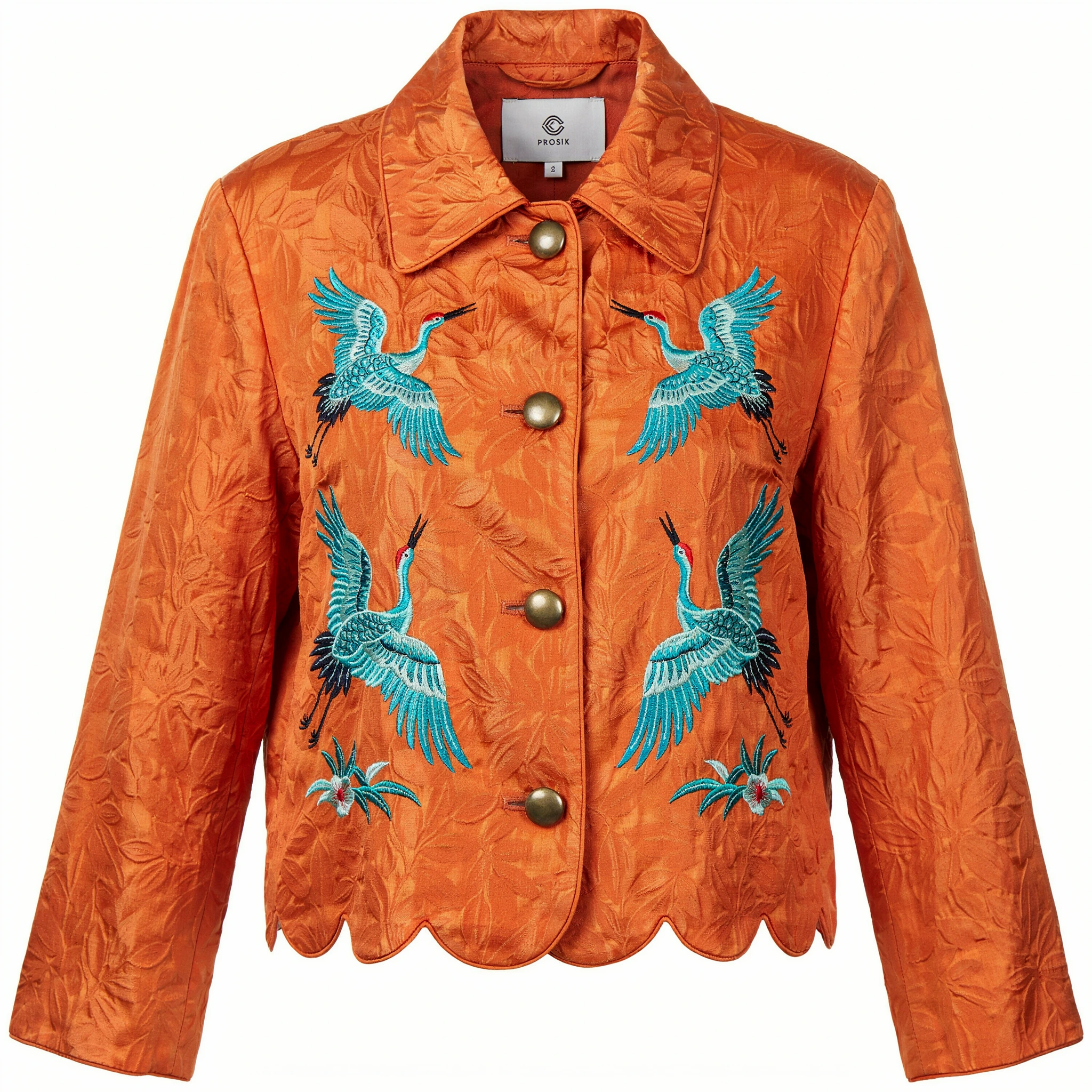
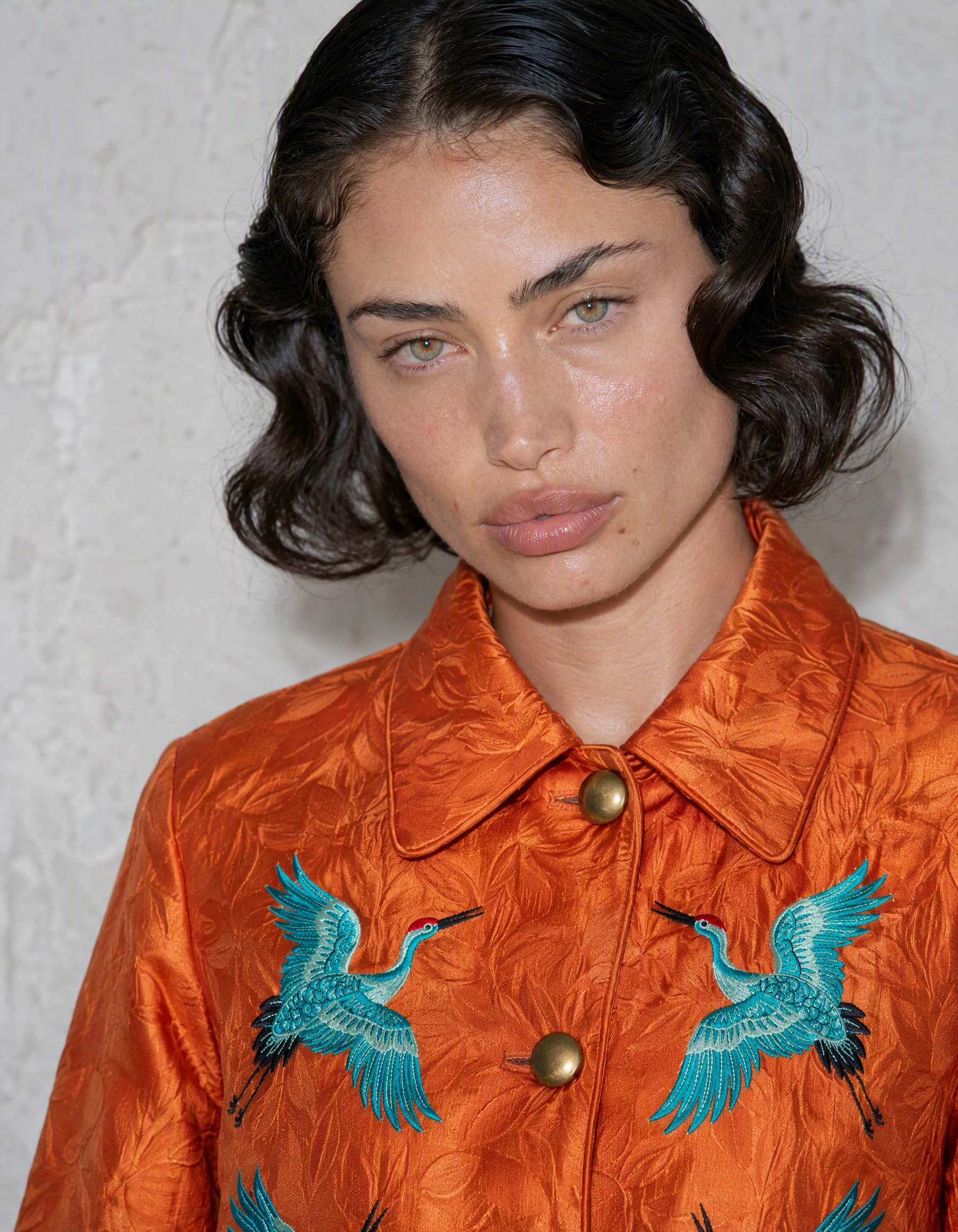
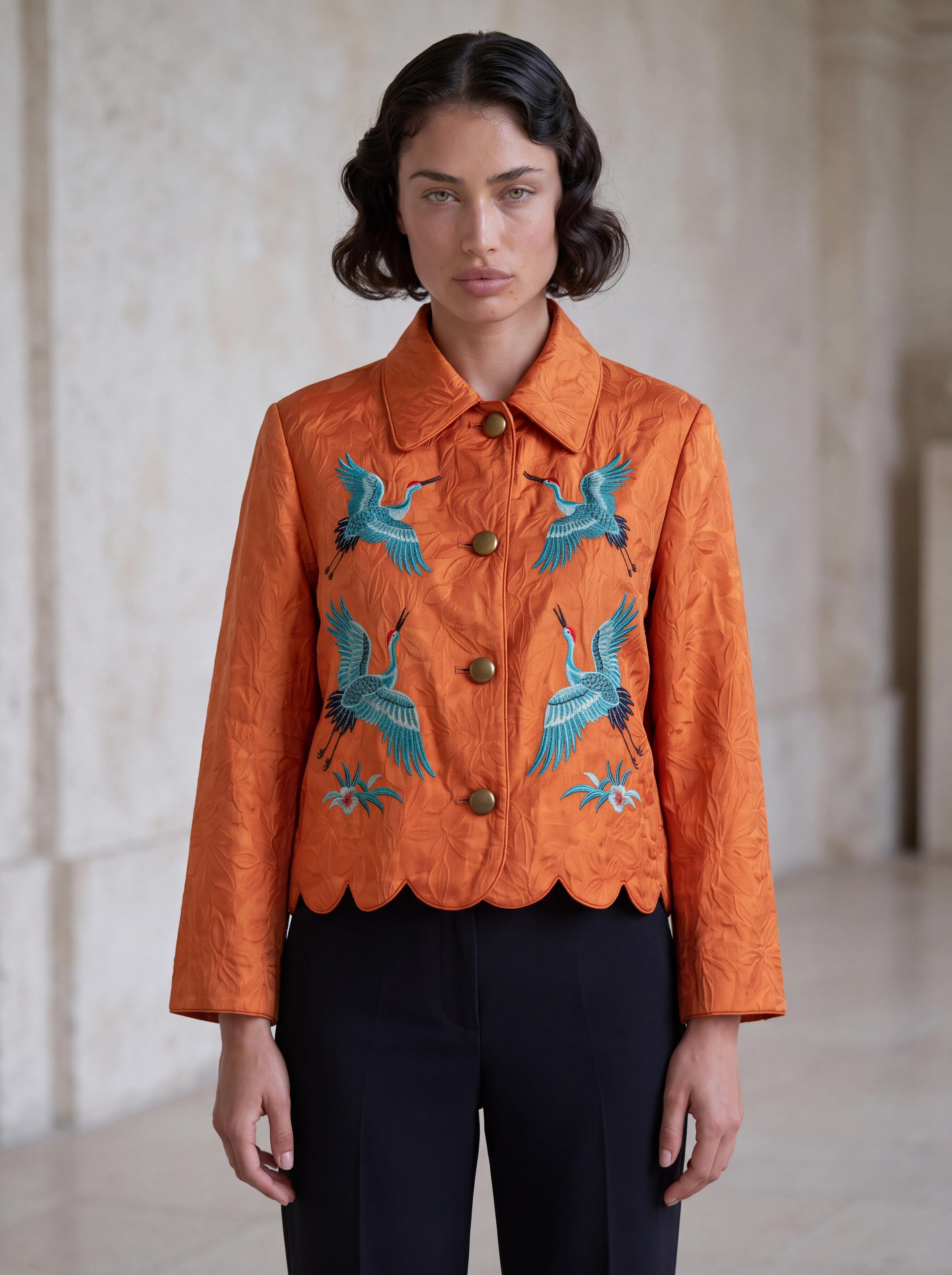
This existing Astria generation illustrates a reference-based treatment. It is not a matched competitor test or proof of catalog-wide accuracy. The cover uses a separate wide frame made from these same supplied references.
Frequently asked questions
Does Photoroom generate on-model fashion photos?
Yes. Photoroom publishes an AI Fashion Models workflow with product uploads, model selection, poses, backgrounds, and saved custom models. It also advertises API access for that workflow.
Can both platforms support a consistent fashion collection?
Both offer reusable starting points. Photoroom documents saved custom models and Brand Kit assets; Astria offers product-led templates and public brand workspaces. Test consistency across difficult garments and a later collection update.
Where should I compare Astria and Photoroom pricing?
Use the current Astria pricing page and Photoroom pricing pages, including its separate API pricing page when relevant. Compare the full production workflow and approved deliverables rather than a single generation.
Sources and methodology
Reviewed October 15, 2026. Vendor capabilities above are published claims; the pilot instructions are our assessment of what a buyer should test. The Astria illustration is an existing synthetic fixture, not a customer result or a competitor output. No measured speed, conversion or fidelity winner is claimed.
Primary sources: Photoroom platform, AI Fashion Models, Photoroom pricing, Photoroom API pricing, Astria fashion offering, Astria brand workspaces. Feature scope and access can change; recheck the linked vendor pages before buying.
For the wider shortlist, see best AI fashion photography platforms.