New: Astria Course Series 1+2 — E-commerce & Fashion with AI.Explore the course

Nano Banana 2.1 现已上线 Astria

用参考图尝试下一张人像、产品场景或营销概念图。
ASTRIA 新模型上线 · 2026年10月

现已可用

认识 Nano Banana 2.1。

Nano Banana 2.1 现已上线 Astria。带上已确认的参考图,在下一次图像创作中尝试新的姿势、产品场景或广告视觉方向。

试用 Nano Banana 2.1 →

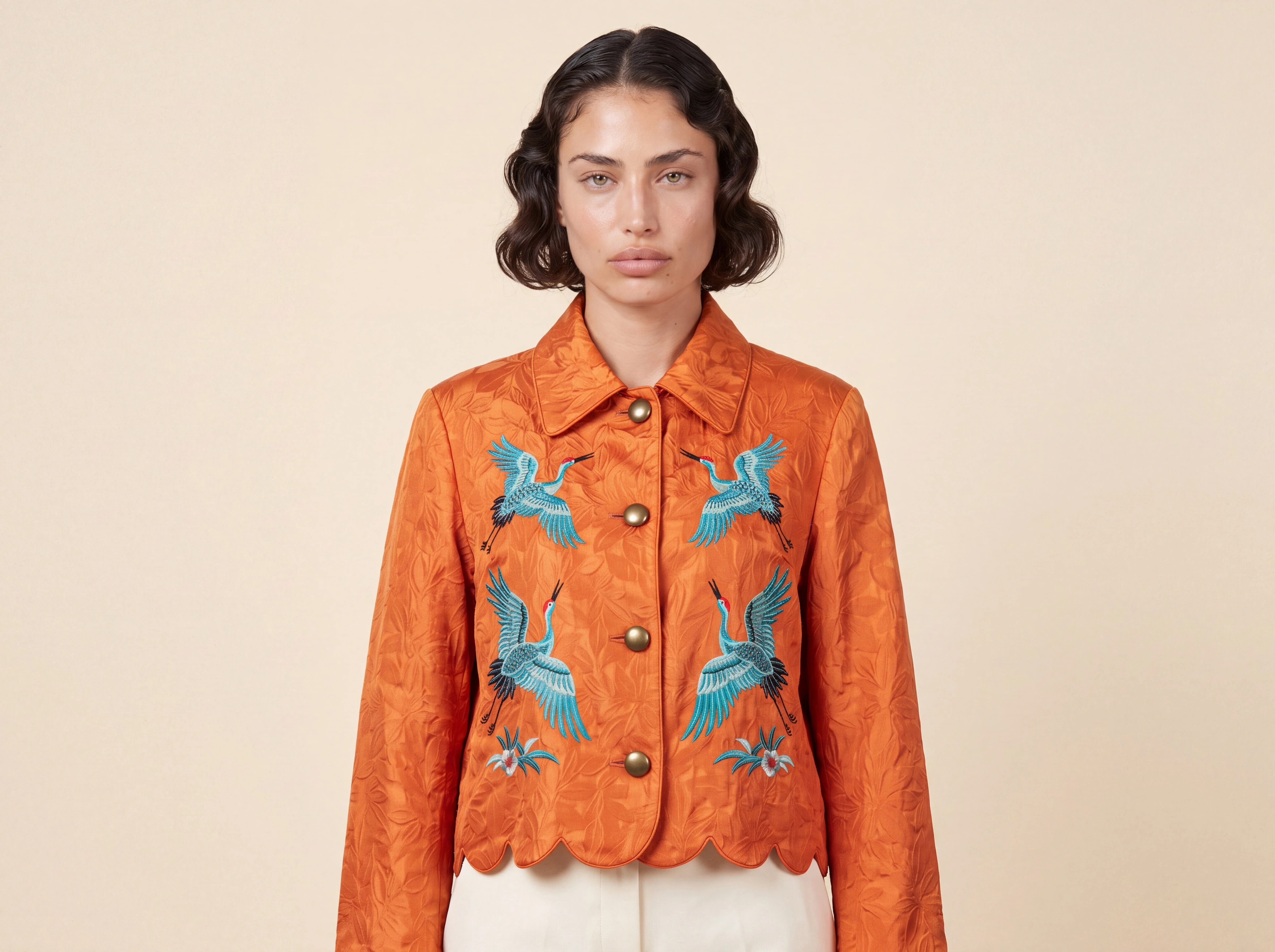
Nano Banana 2.1 生成的合成模特人像,身穿带有仙鹤刺绣的橙色夹克

从参考图到成图

从熟悉的创作要求开始。

用人物和服装参考图创作模特穿搭人像,用产品图尝试新场景,或用明确的排版要求探索营销概念。说明哪些内容必须保留,哪些内容需要改变。

阅读参考图对比评测 →

在 ASTRIA 中试用

你的参考图。你的新方向。

打开已选中 Nano Banana 2.1 的图像编辑器,添加参考图,并描述你想要的结果。

试用 Nano Banana 2.1 →

我们的对比涵盖五款模型、五组创作要求,共25个条件匹配的样本。Nano Banana 2.1 生成了有说服力的人像,并保留了夹克的主要特征;人物细节、包装标签和广告要求仍需检查。发布前请核对产品、人物相似度和文字。封面为单独生成的原生4K图像,使用合成人物和服装参考图。

Keyboard map

Shortcuts

Press keys together unless alternatives are separated by “or”.

The map is always one shortcut away

Press it again to return to your work.

Everywhere

Move between Astria's main spaces.

Open or close this shortcut map
Alt+H
Go to Generate, or focus its prompt there
Alt+G
Go to Board
Alt+B
Open or close Agent
Alt+A
Switch workspace
Alt+W
Close the active overlay or menu
Esc

Composer

Choose a tool and generate without leaving the keyboard.

Open the image composer
Alt+I
Open the video composer
Alt+V
Choose a composer tool by position
Alt+1–5
Generate
⌘+Enter
Add a reference
@
Create a text reference from selected text
⌘+Shift+T

Generation gallery

Hover a generation or output first, then press a key.

Select or deselect an output
S
Like or unlike
L
Mention in Agent
Mor@
Rerun the prompt
R
Open its template
T
Archive or unarchive the prompt
Shift+A
Download the prompt images
D

Media viewer

Shortcuts available while viewing an image or video.

Previous or next result
←or→
Zoom out, return to result, or close
Esc
Open Mockup Lab for an image
M
Temporarily show the original in Darkroom
Hold \
Cycle through layers
C
Choose a layer directly
1–9

Contextual shortcuts only act when their surface is visible or selected.