New: Astria Course Series 1+2 — E-commerce & Fashion with AI.Explore the course

Nano Banana 2.1 is now in Astria

Try your next reference-led portrait, product scene, or marketing brief.
ASTRIA MODEL RELEASE · OCTOBER 2026

NOW AVAILABLE

Meet Nano Banana 2.1.

Nano Banana 2.1 is now available in Astria. Bring your approved references and try a new pose, product setting, or campaign direction with your next image brief.

Try Nano Banana 2.1 →

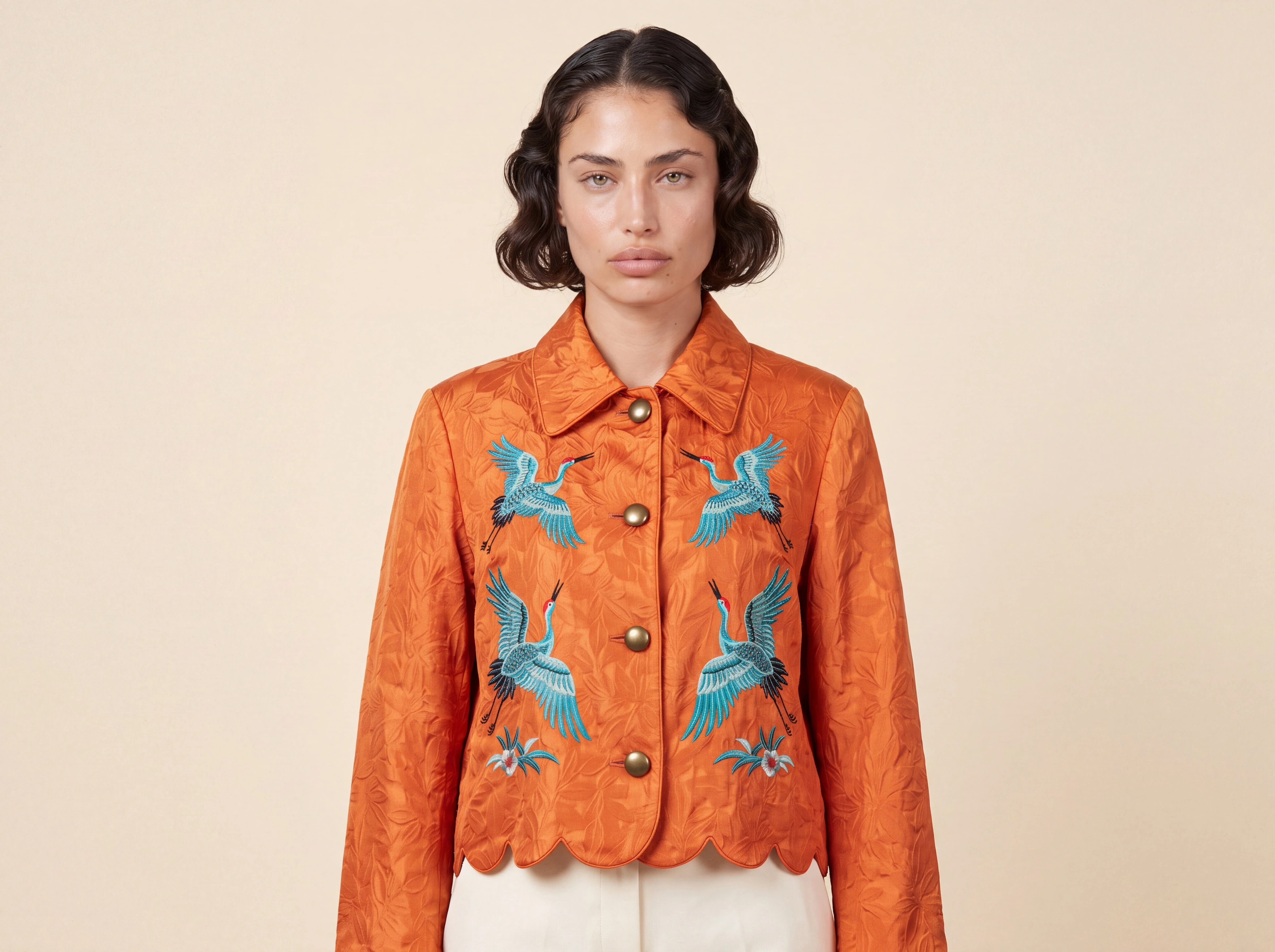
Nano Banana 2.1 portrait of a synthetic model wearing an orange crane-embroidered jacket

FROM REFERENCE TO IMAGE

Start with a brief you know.

Use a cast and garment reference for an on-model portrait, a product image for a new setting, or a clear layout brief for a marketing concept. Specify what must stay the same and what should change.

Read the reference-led comparison →

TRY IT IN ASTRIA

Your references. Your next direction.

Open the composer with Nano Banana 2.1 selected, add your references, and describe the result you want.

Try Nano Banana 2.1 →

Our comparison covers 25 matched samples across five models and five briefs. Nano Banana 2.1 produced convincing portraits and retained the jacket’s main features; identity detail, packaging labels, and campaign constraints still needed review. Check your product, likeness, and copy before publishing. Hero: separate native 4K render using synthetic cast and garment references.

Keyboard map

Shortcuts

Press keys together unless alternatives are separated by “or”.

The map is always one shortcut away

Press it again to return to your work.

Everywhere

Move between Astria's main spaces.

Open or close this shortcut map
Alt+H
Go to Generate, or focus its prompt there
Alt+G
Go to Board
Alt+B
Open or close Agent
Alt+A
Switch workspace
Alt+W
Close the active overlay or menu
Esc

Composer

Choose a tool and generate without leaving the keyboard.

Open the image composer
Alt+I
Open the video composer
Alt+V
Choose a composer tool by position
Alt+1–5
Generate
⌘+Enter
Add a reference
@
Create a text reference from selected text
⌘+Shift+T

Generation gallery

Hover a generation or output first, then press a key.

Select or deselect an output
S
Like or unlike
L
Mention in Agent
Mor@
Rerun the prompt
R
Open its template
T
Archive or unarchive the prompt
Shift+A
Download the prompt images
D

Media viewer

Shortcuts available while viewing an image or video.

Previous or next result
←or→
Zoom out, return to result, or close
Esc
Open Mockup Lab for an image
M
Temporarily show the original in Darkroom
Hold \
Cycle through layers
C
Choose a layer directly
1–9

Contextual shortcuts only act when their surface is visible or selected.