Wedding Photo Retouching in Photoshop With Nano Banana
A guest raises a phone into the frame. A hand covers part of the bride's hair. The best expression arrives in a photograph with a distracting background. These are specific editing problems inside an otherwise useful wedding photograph.
The Astria Nano Banana Photoshop plugin lets a photographer select the affected region, describe a correction, and refine the result on a separate layer. Keep the couple's identity, the dress and the character of the event central to every decision.
Watch distraction removal and bridal refinements
The demonstration includes ground cleanup, warm lighting, dress-train changes, hand and phone removal, hair refinement, makeup, and creative pose or setting changes. Those edits serve different purposes: cleaning an obstruction preserves the intended photograph, while changing the dress or setting creates a new interpretation for the client's review.
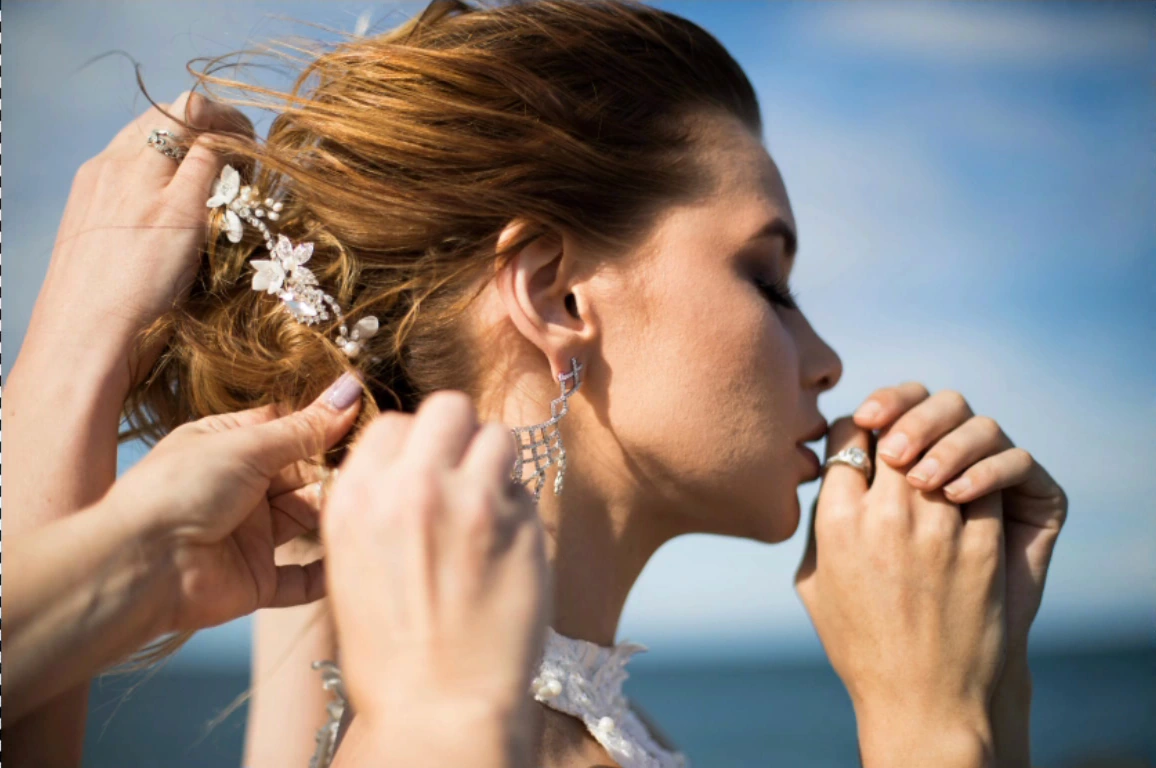
01:38 — Hands interrupt the bridal profile and hair detail.
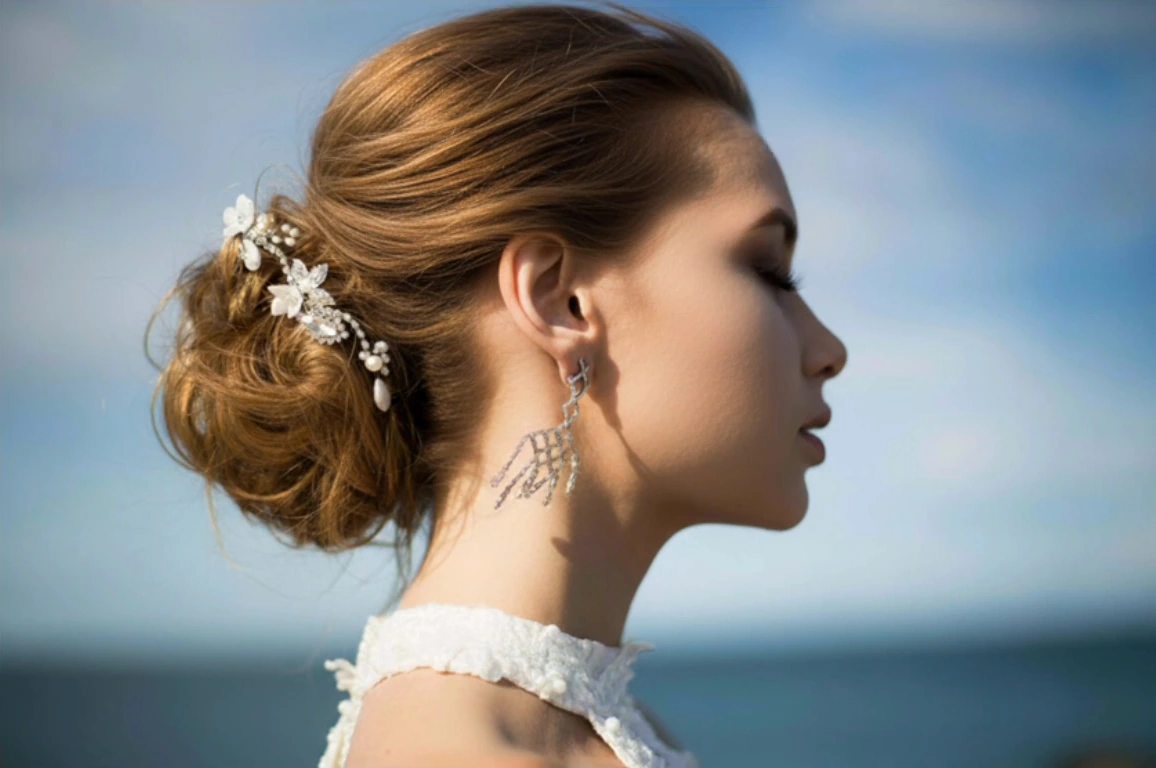
02:05 — The hands are removed, revealing a cleaner profile. Compare the hair, earring and neckline.
Select an image to enlarge it. Frames are cropped from the original video.
Watch the original Astria demonstration. The recording shows an earlier plugin interface; use the current panel for the selection, reference-image and returned-layer workflow. Illustrations are stills from that recording.
Start with one distraction
Keep an untouched copy of the photograph. Select the unwanted phone, hand or background object with enough surrounding context to reconstruct what it covers. Avoid including the face or dress unnecessarily when they are already satisfactory.
The editing brief should identify the obstruction and what must remain: the person's facial features, pose, dress construction, crop and existing light direction. Generate a correction, toggle it against the source, and inspect the region at full size before continuing. Hair, fingers, jewelry and lace deserve particular attention because their fine shapes can become convincing but incorrect substitutes.
If the covered area contains a meaningful detail, another photograph from the same sequence can provide reference evidence. A dress button, ring or embroidered panel is easier to restore from the real event than to reconstruct from a generic description.
Keep retouching and creative restyling separate
For a small exposure or skin-color adjustment, use a normal Photoshop adjustment layer. Use generation when removing an obstruction or changing a scene requires content that the photograph does not already contain.
Make a warm evening treatment in a separate group from the cleanup. Compare the original light and the new atmosphere at the same crop. A golden treatment should still retain natural skin color and distinguish the dress from the background.
The video also explores a longer dress train, a veil and changes to pose or background. Present those as creative alternatives. A client who wants an accurate record of the day should be able to choose the corrected original without also accepting an invented garment or setting.
Organize the handoff inside the studio
| Role | What to use the plugin for | What to approve |
|---|---|---|
| Wedding photographer | Recover a useful frame with a local distraction | Identity, expression and fidelity to the event |
| Bridal retoucher | Reconstruct small obscured areas and refine masks | Hair, hands, jewelry, lace and edit boundaries |
| Studio art director | Review a cinematic or warm treatment | Natural skin, dress separation and consistency |
| Album designer | Select images that work together on the page | Crop, color continuity and the final print appearance |
| Client service team | Explain optional creative changes | The client's selection of the original or altered version |
Review at delivery size
Judge the finished image both at full size and in the actual album layout. A clean edge on screen can become a distracting halo around hair in print. Look at the transition into the unedited photograph, contact shadows, and any detail that was hidden by the removed object.
Save a layered master and export the approved version. Naming groups by the decision, such as cleanup or evening treatment, makes later client feedback actionable. Keep the original available when a revision should undo only the creative treatment.
For editorial garment imagery, see wedding dress photography prompts. For the panel setup, read the Nano Banana Photoshop guide.
Get the Astria Photoshop plugin for selection-based corrections in your document. See Astria pricing for current terms.
Frequently asked questions
Can Nano Banana remove a phone from a wedding photograph?
Select the phone and the area it obscures, describe its removal, and review the reconstructed region on the returned Photoshop layer. Supply another event photograph as a reference when a hidden dress, hand or jewelry detail matters.
Should I use AI to change a bride's pose or dress?
Treat pose, wardrobe and setting changes as creative alternatives and let the client choose them separately from corrections to the original photograph.
What should I inspect after removing an obstructing hand?
Check the reconstructed hair, skin, garment edges and jewelry against the source and any supporting photograph. Refine the layer mask and review the result at the intended print or album size.