Real Estate Photo Editing in Photoshop With Nano Banana
A property photograph needs clearer pool reflections, a tidier patio or a different lighting treatment. A staging designer wants to show how an outdoor seating area could feel with new cushions and planting.
The Astria Nano Banana Photoshop plugin supports those editing and visualization tasks inside a layered document. Begin by deciding whether the image represents the property as it exists or illustrates a proposed presentation.
Watch pool and patio edits
The property demonstration works on a pool courtyard and a house terrace. It refines lounge chairs and pool reflections, adds planting and decor, explores evening lighting, and changes the sky and cushions. These are useful examples of selecting a region and revising one part of a property image.
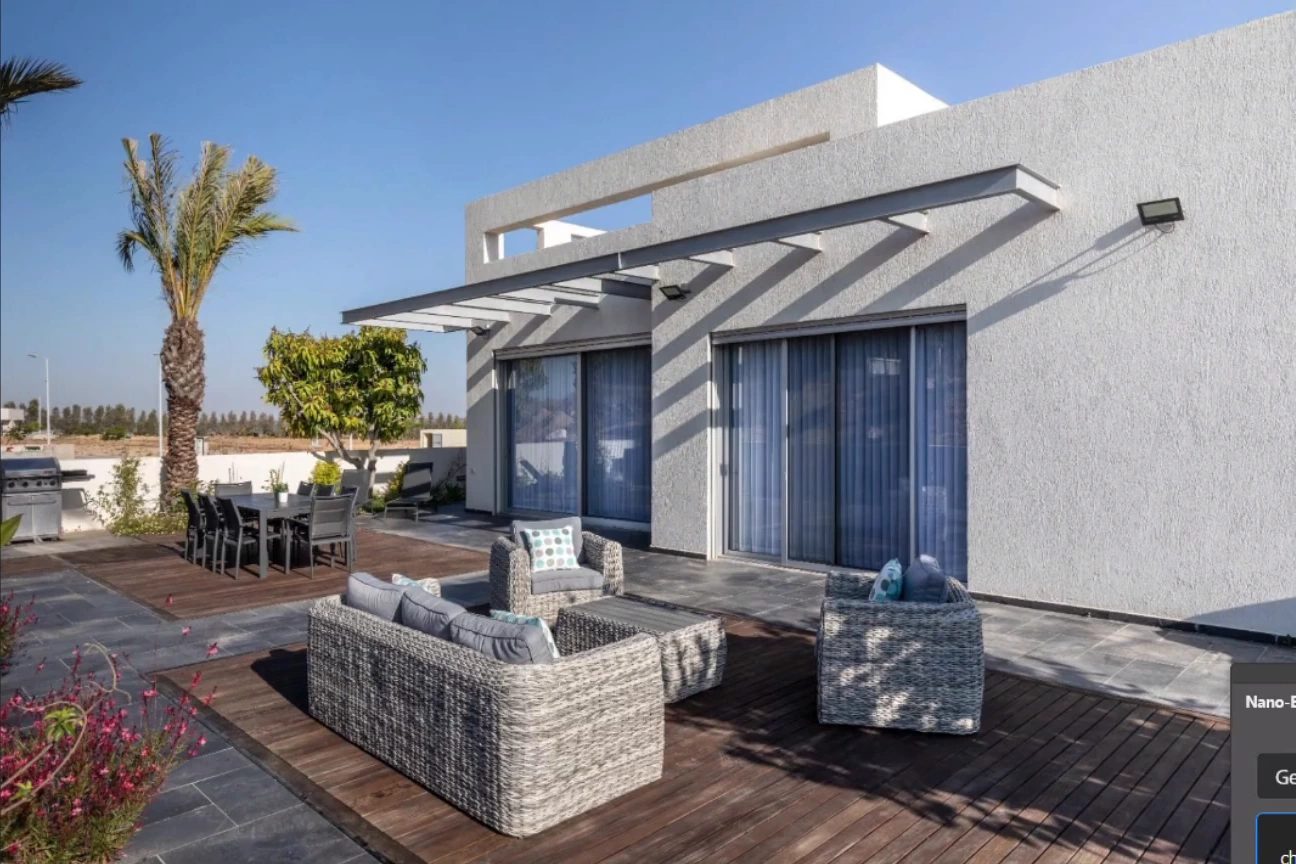
00:54 — Daylight terrace before the lighting and staging changes.
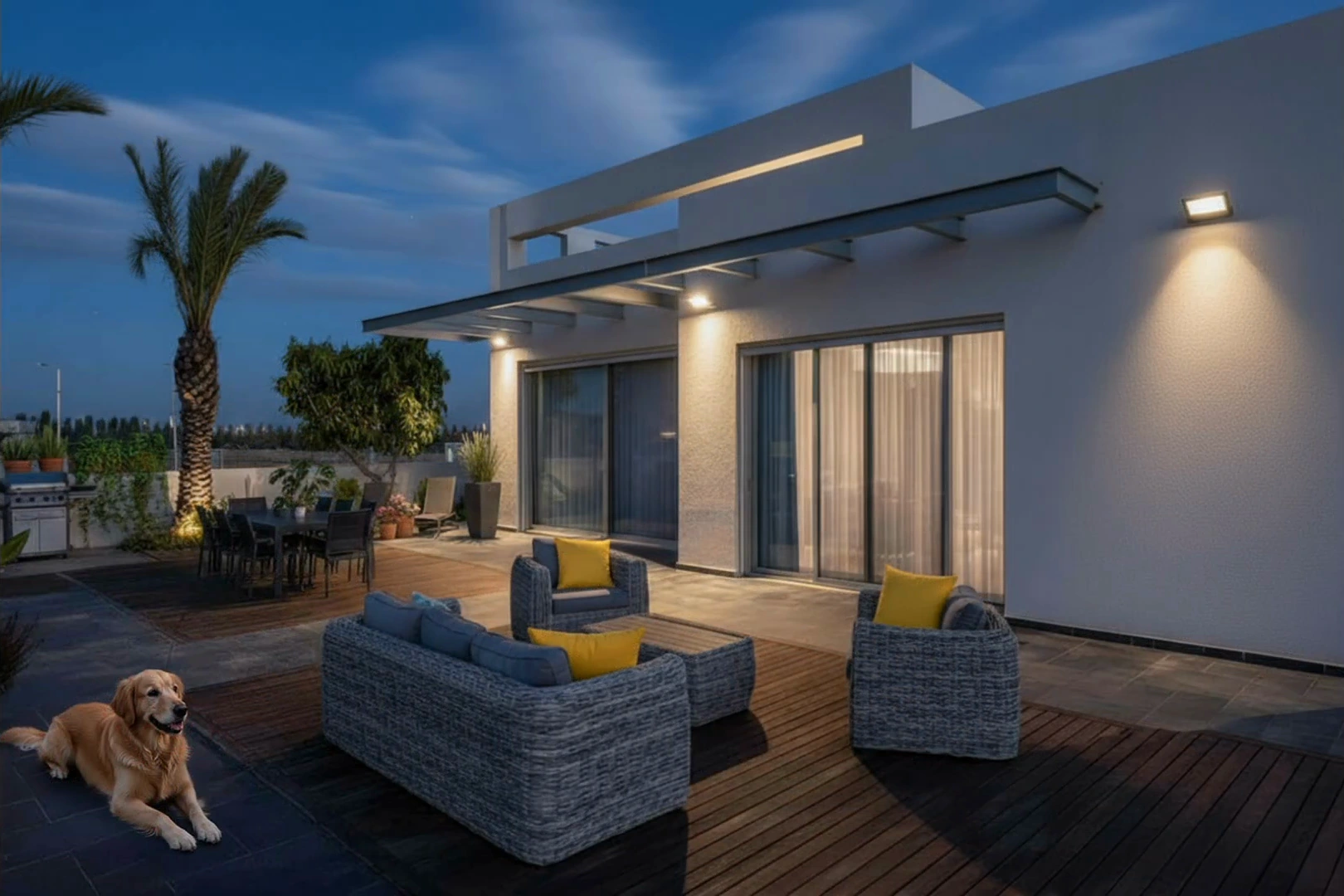
01:41 — Cumulative concept edit with dusk lighting, planting, yellow cushions and a dog. The final video frame shows the result without the editing panel.
Select an image to enlarge it. Frames are cropped from the original video.
Watch the original Astria demonstration. The recording shows an earlier plugin interface; use the current panel for the selection, reference-image and returned-layer workflow. Illustrations are stills from that recording.
Choose between cleanup and proposed staging
Removing a temporary distraction and adding furniture that is not present are different decisions. Keep the original photograph available and label staged or proposed versions so the team can choose the correct asset for a listing, a design presentation or an amenity concept.
For cleanup, select the distraction and describe the surrounding surface that should continue through the region. Review paving patterns, railings and furniture edges after the edit. Use conventional Photoshop tools for a small repair when the existing photograph already contains the needed detail.
For staging, provide the relevant furniture or planting references. Preserve the building envelope, openings and circulation space. Check whether the proposed seating still fits the visible area and whether people could reasonably move around it.
Create a twilight treatment from the same view
Keep the camera and building form fixed while exploring the time of day. Allow the sky and illumination to change, then inspect windows, exterior fixtures and their reflected light. A darker sky with unchanged bright daylight on the facade often looks less convincing than a coherent treatment of the whole scene.
Refine local exposure and color with Photoshop adjustments after the edit. Avoid treating the generated lighting as a specification for the actual installed fixtures. For a future development, use the architecture Photoshop workflow with approved model exports.
Map the workflow to property teams
| Role | Use case | What to keep authoritative |
|---|---|---|
| Property photographer | Remove distractions and refine a photograph | The original capture and actual property features |
| Retoucher | Refine reflections, masks and light transitions | Source detail and consistent surface geometry |
| Staging designer | Compare furniture, cushions and decor | Proposed products and usable space |
| Landscape designer | Explain a planting concept | The designed planting areas and access routes |
| Brokerage marketing team | Select a listing treatment | Accurate labeling of photography and staging |
| Hospitality marketing team | Present an amenity concept | The approved property and intended guest experience |
Review reflections and repeated structures
Pool water, glass doors and polished surfaces can reflect features that have changed elsewhere in the image. Inspect those reflections after adding a plant or changing the time of day. Check repeated chairs, paving joints, mullions and roof edges against the source; they are useful indicators of unintended reconstruction.
Review the final image with the person responsible for the property description. Confirm whether furniture, planting and lighting are existing or proposed. Export a clearly identified version and retain a layered master for corrections.
The most useful first exercise is one pool reflection repair or one patio staging option, rather than a complete reinterpretation of the property. Once the local edit is dependable, develop the wider atmosphere and presentation.
Read the Nano Banana Photoshop guide for the general panel workflow, or get the plugin. See Astria pricing for current terms.
Frequently asked questions
Can Nano Banana create a twilight property image?
It can generate an evening interpretation from a property photograph. Keep the building and camera constraints explicit, then inspect facade light, windows, fixtures, sky and reflections together.
How should I present virtually staged property images?
Keep the original photograph and identify furniture, planting or other additions as staged or proposed when presenting the image. Use the version that matches the purpose of the property communication.
What should I inspect after editing a pool or patio?
Check reflections, water edges, furniture proportions, contact shadows, paving joints, doors and building boundaries against the original photograph.