AI Layer Separation in Photoshop: Pulling a Flat Design Apart
A flattened design is a dead end. The export looks finished, the working file is gone or was never yours, and the next request is always the same: move the headline, swap the product, extend the background for a different crop.
Layer separation is the idea that a model can hand those parts back to you, and the capability is real. ByteDance documents it for Seedream 5.0 Pro: one request returns a base image plus up to 16 transparent layers, each tagged with its stacking order and position. Whether you can reach it depends entirely on how you call the model. In our own testing on October 15, 2026, the Astria endpoints returned a single flat image rather than layers, so this article covers the route that does work today: extracting one element per request and assembling the returns yourself.
That route is slower than the promise. It is also good enough to rebuild a poster as an editable document, which is what we did below, failures included.
What the model can do natively
Worth knowing before you judge any workflow against it. ByteDance's image generation API exposes a layer_decomposition flag on Seedream 5.0 Pro and 5.0 Flash. When set, the documented behaviour is:
- one base image plus up to 16 layers, each returned as a PNG with a real alpha channel
- placement metadata per layer: a stacking index and a bounding box in both pixel and normalised coordinates, so a caller can reassemble the stack
- a single input image only, at 1K, 1.5K or 2K, with no 4K path in this mode
- an optional prompt that targets specific elements, or no prompt at all to let the model pick them
- no partial success: if one layer fails, the whole request fails
ByteDance's launch material also describes the background behind a removed subject being reconstructed. That claim appears in its product blog rather than the API specification, so treat it as the vendor's description.
Two things follow. The output is separate PNGs plus coordinates, not a PSD — reassembly is the caller's job either way. And layered mode is capped at 2K, so a layer-separation asset is never a 4K hero.
What we tested, and what came back
Every image below comes from one supplied photograph of a skincare tube at 4000 by 6000 pixels. Nothing here is text-to-image.
First we built something worth pulling apart. Seedream 5 Pro composed a finished campaign poster from that product reference: product on a stone pedestal, foliage behind it, a lilac gradient, a headline and a subtitle. That composite became the input for every separation attempt that followed.
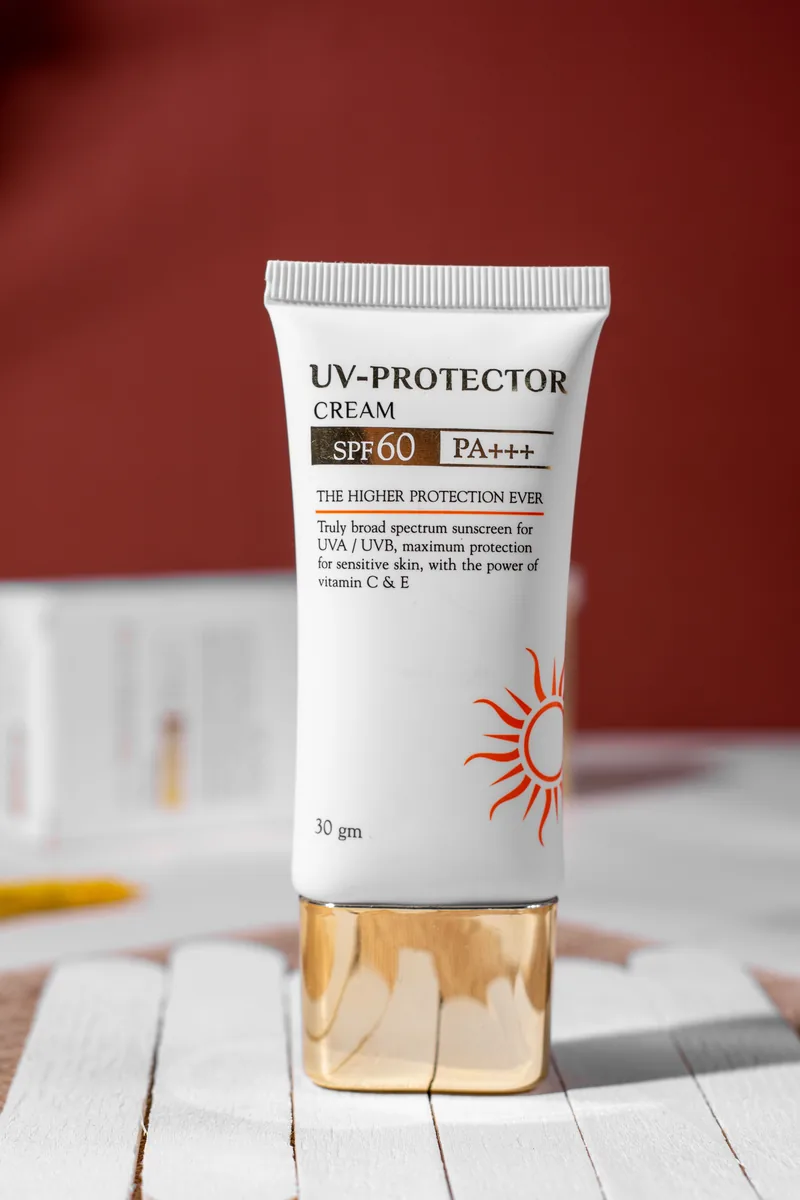

Then six requests against that composite.
| Request | Model | What came back | Transparency |
|---|---|---|---|
| The documented layer flag, set explicitly | Seedream 5 Pro | One flat image. The flag had no effect on the response | None |
| Split into independent transparent layers, in words | Seedream 5 Pro | One flat image, the poster re-rendered largely unchanged | None |
| Isolate the product only | Seedream 5 Pro | Product cleanly isolated on a flat white field, label intact | None |
| Reconstruct the background with every element removed | Seedream 5 Pro | Clean plate, gradient and floor rebuilt, no trace of the objects | None |
| Isolate the headline and subtitle type | Seedream 5 Pro | Lettering on a flat white field, typeface and spacing preserved | None |
| Return a PNG with a real alpha channel | GPT Image 2.5 Sunburst | A PNG container with no alpha channel, RGB only | None |
The first row is the one that matters. The documented capability is not reachable through the endpoints we tested, and nothing we ran returned an alpha channel, including the model whose provider documents transparency support. The PNG arrived as a PNG and carried no transparency once inspected.
What the extractions actually look like
The per-element results are the reason to carry on.
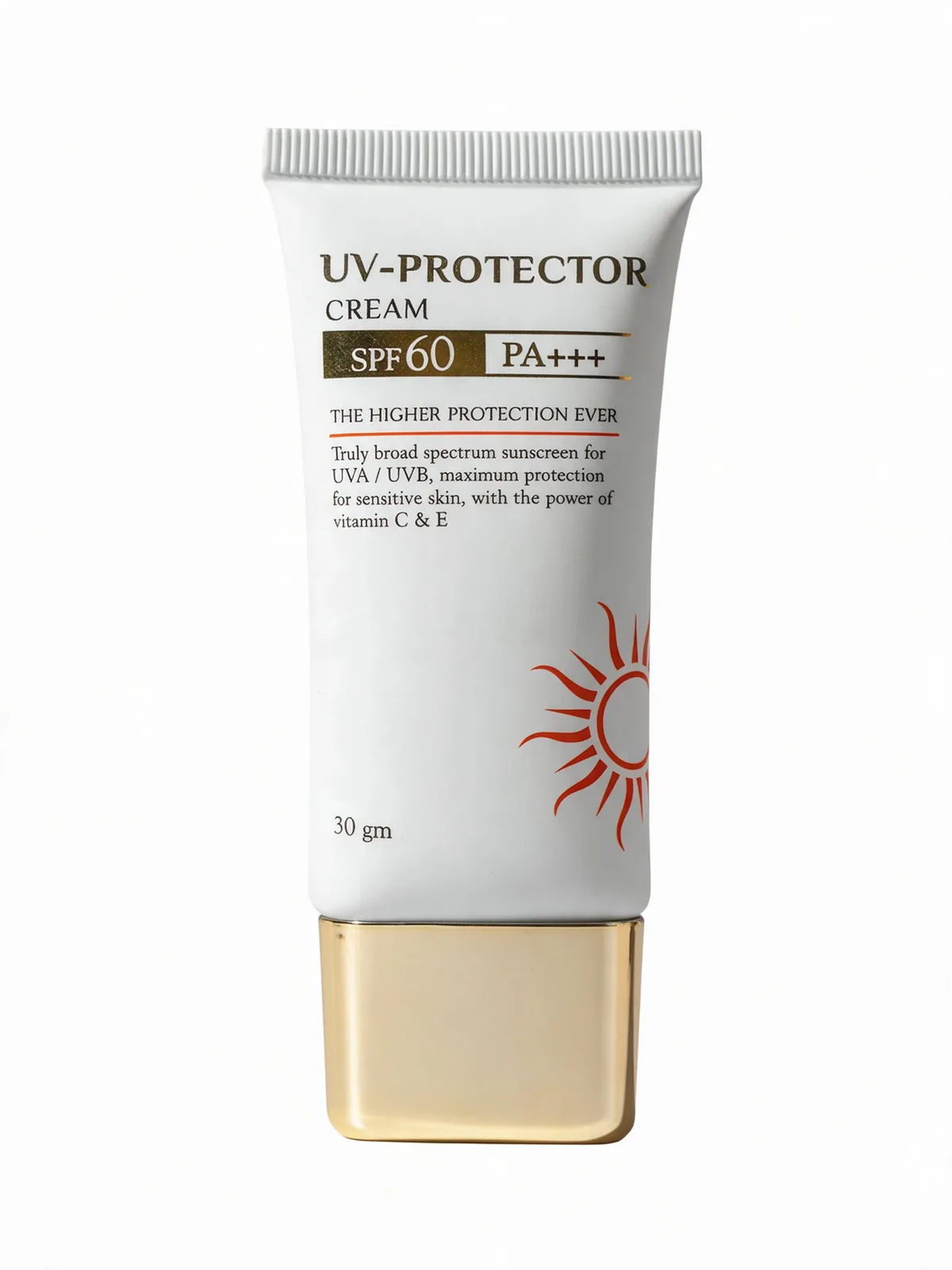
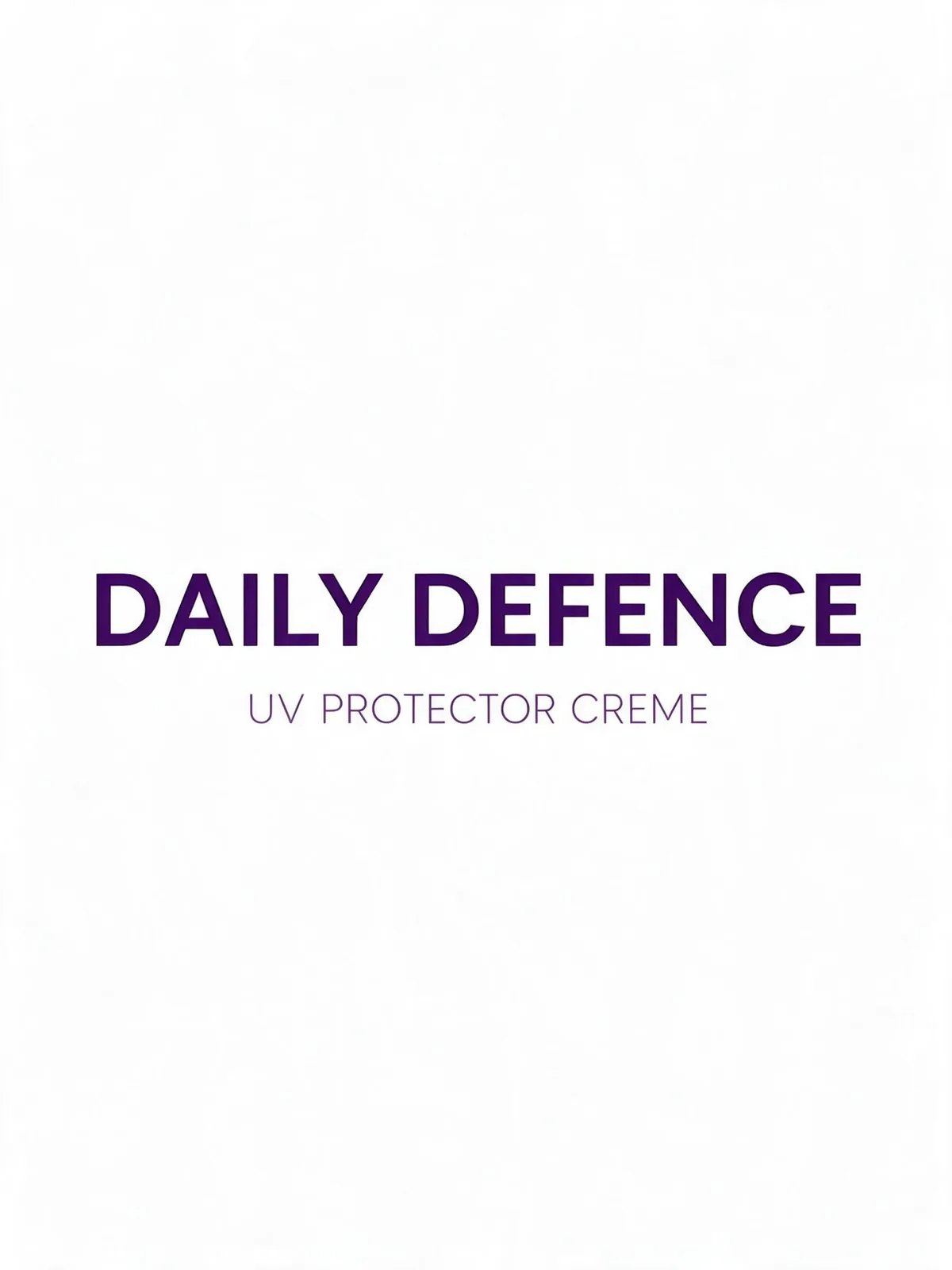
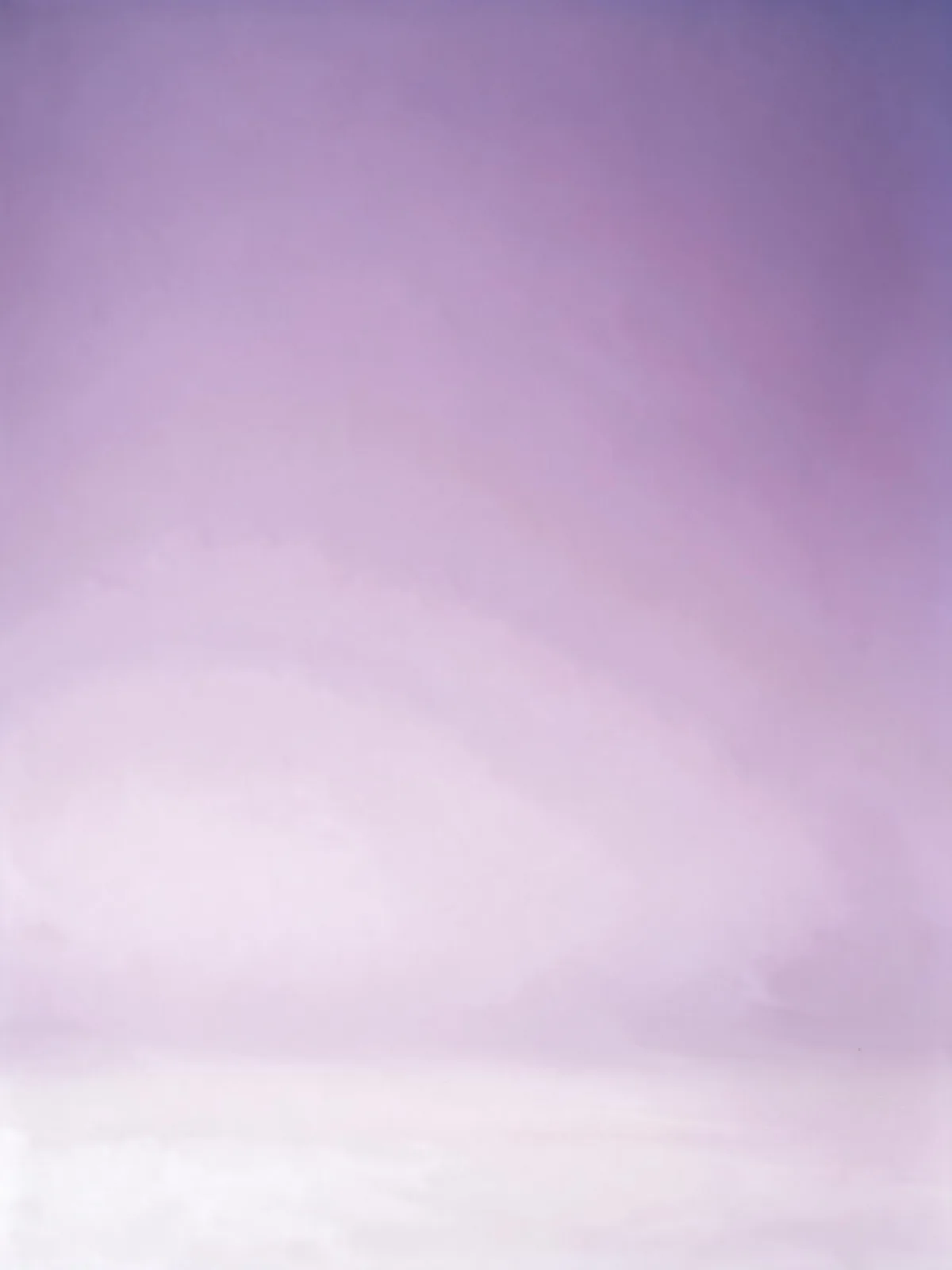
The typography result is the surprise. Asked for the lettering alone, the model reproduced the same geometric sans at the same weight and letter spacing rather than paraphrasing it into a lookalike. That is the difference between a layer you can reposition and a layer you have to rebuild.
The clean plate is the quiet workhorse. Once the background exists as its own image with nothing standing on it, every other element is free to move.
The working sequence
Four passes, in this order, each one request against the same flattened source.
Pass one, the clean plate. Remove everything and rebuild what was behind it. Name the objects you want gone, and say explicitly that the surface and gradient must be reconstructed where they stood. Do this first: it is the layer everything else sits on, and if the model cannot rebuild the background convincingly, the rest of the exercise is not worth running.
Pass two, the hero element. Isolate the product, the subject, the single thing the layout is about. Ask for a flat, even field behind it rather than transparency, because that is what you will reliably get and it masks cleanly.
Pass three, the type. Request the lettering alone, and name what must survive: the exact typeface, weight, spacing and position. Vague requests here produce a plausible headline in the wrong font, which is worse than no layer at all.
Pass four, the props. Foliage, pedestal, secondary objects, one request each. Resist the urge to batch them. Every element you add to a single request raises the chance the model reinterprets the whole frame instead of extracting a part of it.
Then assemble: clean plate at the bottom, props, hero, type on top, masking the flat field behind each extraction. What you have at the end is the thing the flat export denied you, a layout where the headline can move, the product can be replaced and the canvas can extend for a different aspect ratio.
Working inside the Astria Photoshop plugin, each pass returns into the open document as its own layer, which removes the four browser round trips and the registration drift that comes with them. The plugin guide covers the panel itself.
The limits, stated plainly
Be honest with yourself about what this is before you promise it to a client.
It is not one click. Four or five requests per design, plus masking. For a single hero layout that is a good trade. For two hundred SKUs it is a staffing problem, and that work belongs in a production pipeline instead.
It is reconstruction, not recovery. The model is not reading hidden layer data out of a flattened file, because there is none. It generates a plausible version of each part. The product that comes back is a very good likeness, not the original pixels. For a visual, a mockup or a layout study that is fine. For a regulated label, a legal mark or print artwork it is not. Keep the approved artwork.
Expect flat fields, not cutouts. Nothing we tested returned a transparent layer or a layered file, so plan to mask.
Fine detail degrades. Isolated elements come back at the model's own resolution and interpretation. Check small type, edge quality and any geometry a customer would recognise before the layer reaches a deliverable.
One element per pass. Both all-at-once attempts failed in our test, and we would not plan around that changing.
Where the field stands
Useful context, because this capability is moving quickly and the marketing runs ahead of the shipping.
Photoshop does not do this yet. Adobe announced Layered Image Editing, described as automatically separating objects in an image onto different layers, at MAX in October 2025, and still labels it in development. No current Photoshop or Firefly feature list documents the capability. Generative Fill is a different tool: it writes a generated result for the selection you made, rather than taking a finished composition apart.
Affinity shipped it first among the big editors. Canva announced AI-assisted Scene Decomposition for Affinity in September 2026, described as splitting a flattened image back into editable layers, unlocked with a Canva premium plan.
Seedream is not the only model that can do it. Alibaba's Qwen-Image-Layered, released as open weights in December 2025, decomposes an image into RGBA layers with the layer count set by the prompt.
Plugins are ahead of hosts. Higgsfield's Photoshop plugin has carried a Layer Decompose tool since June 2026, offering 1K to 2K output and an adjustable layer count. Its own pages describe its web Layers editor as powered by Seedream 5.0, while the plugin documentation names no engine.
The direction is clear even if the dates are not. Treat any single result, including ours, as a snapshot.
Where it earns its place
- The working file is gone. An agency folded, a freelancer moved on, or all that survives is a JPEG from a sign-off email.
- One layout, many crops. A campaign image has to become a 4:5, a story, a banner and a PDP tile. With the background as its own layer, the recrop is composition rather than a new shoot.
- Market and seasonal variants. The typography changes per language or promotion while the photography stays.
- Posters, layouts and design studies. Dense work with several discrete elements is exactly where pulling parts out beats painting them out. Our packaging mockup guide covers the generation side of related work.
Prompt patterns that worked
Short and specific beat long and descriptive in every pass we ran.
- Name the elements to remove individually rather than saying "remove everything".
- Say what must be reconstructed, not only what must go: "rebuilding the surface and gradient where the objects used to be".
- For type, list the attributes to preserve: typeface, weight, spacing, position.
- Ask for a flat, even background behind an isolated element instead of requesting transparency.
- Keep one element per request.
Frequently asked questions
What is AI layer separation?
Taking a finished, flattened design and recovering its parts as separate editable pieces: the subject, the typography, the props and the background behind them. The goal is a document you can restyle, recrop and re-version without rebuilding the artwork from scratch.
Which models can decompose an image into layers?
ByteDance documents layer decomposition for Seedream 5.0 Pro and 5.0 Flash, producing one base image plus up to 16 transparent PNG layers with placement metadata, at up to 2K. Alibaba's open-weights Qwen-Image-Layered also decomposes images into RGBA layers. Google's Gemini image models and OpenAI's GPT Image do not document layered output.
Can I get layered output through any image API?
Only where the integration passes the parameter through. In our October 15, 2026 test the Astria endpoints did not return layered output, with or without the documented flag, so the practical route today is extracting one element per request and assembling those returns as layers in Photoshop.
Does Photoshop separate a flat image into layers?
Not yet. Adobe announced Layered Image Editing, automatic separation of objects onto layers, at MAX in October 2025 and still lists it as in development. No current Photoshop or Firefly feature list documents the capability. Affinity shipped an AI-assisted Scene Decomposition feature in September 2026, behind a Canva premium plan.
What is layer separation actually useful for?
Recovering editability you have lost: a flattened export with no working file, a campaign layout that must be recropped for another channel, a design whose typography changes per market, or a subject that has to move to a new background.
Sources and methodology
All generations ran through Astria on October 15, 2026, in the Articles workspace, from one supplied product photograph at 4000 by 6000 pixels. The composite was built with Seedream 5 Pro at 2K. Five separation attempts ran against that composite with Seedream 5 Pro, including one that set the documented layer flag directly on the request, and one transparency attempt with GPT Image 2.5 Sunburst. Returned files were inspected for dimensions, colour mode and alpha channel before any claim here was written. Prompt identifiers and the full run record are kept in our internal benchmark notes.
This is one design, run once per request. It shows what the endpoints we called do with a dense, text-bearing layout. It is not a success-rate measurement, and a different composition may behave differently.
Capability descriptions for layer decomposition come from ByteDance's image generation API documentation and its Seedream 5.0 Pro launch post. Adobe's Layered Image Editing announcement is from its October 2025 MAX coverage, with the absence of a shipping feature checked against Adobe's current Photoshop and Firefly feature lists. The Affinity capability is from Canva's September 2026 announcement. Qwen-Image-Layered is Alibaba's December 2025 open-weights release. Higgsfield details come from its own plugin and changelog pages. A provider documenting a capability describes that provider's own surface and does not guarantee identical behaviour through every integration, which is exactly what our first test row shows. Model behaviour and output formats change; re-test before building a process on any single result.
For how the panel fits a wider production workflow, see the Nano Banana Photoshop guide and the plugin shortlist.