 Astria
Stop managing shoots one prompt at a time
Meet the new Astria Board canvas
Astria's new Board canvas gives your image production a visual command center: one place to plan, generate, compare, rerun, and review every shot in a campaign.
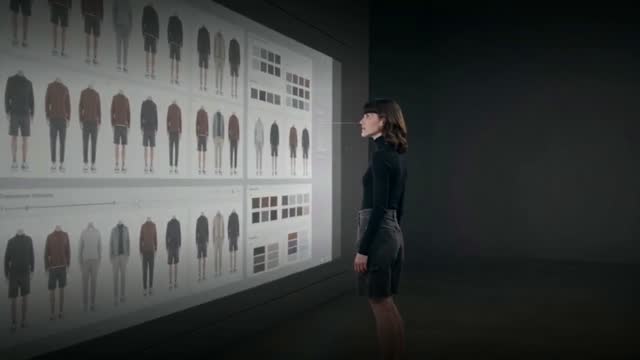
Visual control for the whole production
|
Build once. Start with a frame, add the model, product, styling, and scene references, then save the shots that work as reusable templates. |
|
Scale row by row. Add the next garment, colorway, SKU, or campaign variation without rebuilding the prompt stack from scratch. |
|
Review in context. See references, templates, rows, prompts, and generated visuals together so weak shots are easy to spot and rerun. |
Everything stays visible and navigable
|
Condensed visual overview. Keep an entire lookbook, e-commerce photoshoot, or campaign grid in one canvas instead of jumping between isolated prompt pages. |
|
Fast navigation. Move around the canvas, open results, compare variations, and keep the creative direction in view while you work. |
|
One production surface. The board keeps the setup, the generation flow, and the final review side by side. |
Built for team review
|
Multiplayer collaboration. Share the same canvas with the creative director, stylist, merchandiser, or client. |
|
Live presence. Cursors, selected shots, and viewpoint following make it clear which visual everyone is discussing. |
|
Voice chat. Talk through the board while you compare images, choose keepers, and decide what to rerun. |
The result is a calmer production flow: all visuals in one condensed view, easier navigation between them, and better control over the final set.