
New: GPT Image 2.6 Sunburst and Flare are available now β€” generate and edit at up to 4K with five quality levels and up to 16 reference images.

MiniMax H3 is live on Astria

MiniMax H3 is now live on Astria 🎬

MiniMax H3 is officially available on Astria. It brings structural updates to text rendering, product retention, and instruction-based scene edits for commercial video generation.
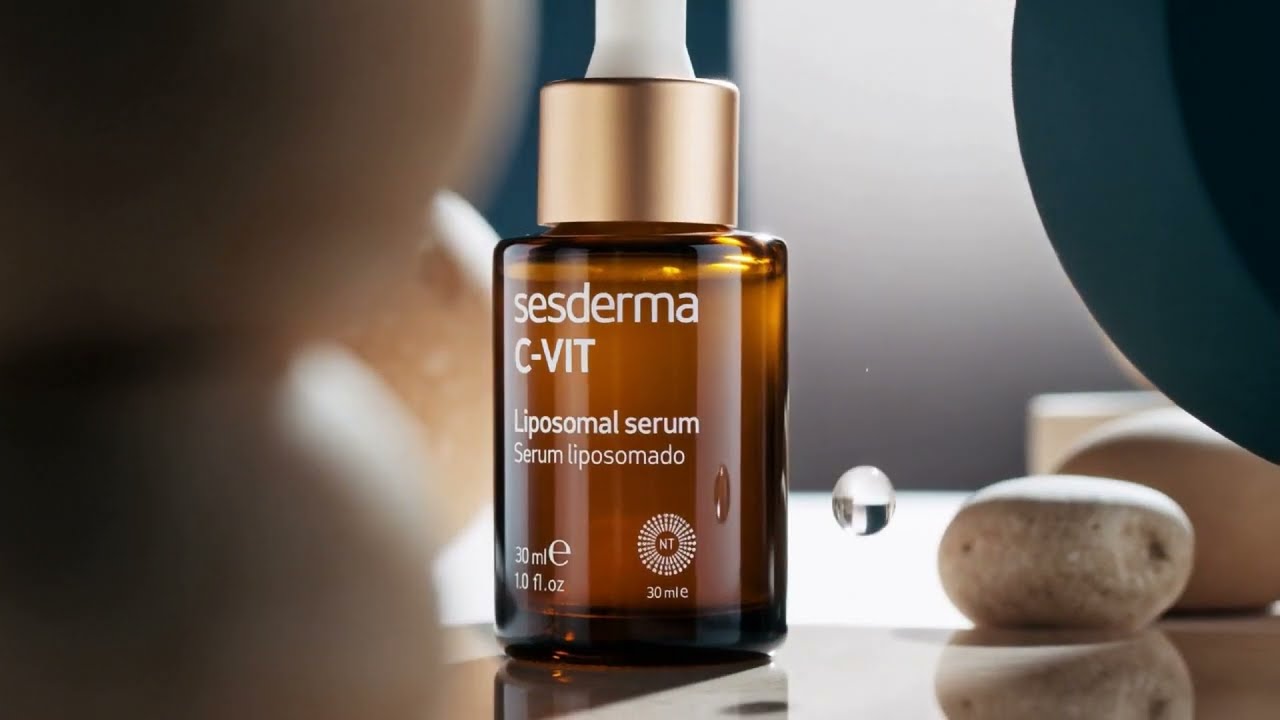
MiniMax H3 for E-Commerce: Product Motion & Text Control on Astria

What's new with this workflow:

🏷️ Crisp product & text retention. Native 2K rendering keeps product labels, brand logos, and fine typography readable without distortion during dynamic motion.

πŸ’‘ Instruction-based scene edits. Adjust lighting setups, swap background environments, or tweak camera angles directly via text prompts to quickly generate multiple ad variants.

πŸ”Š Natural motion & stereo audio. Combines realistic physical movement with synchronized ambient sound generated in a single pass.

The workflow is available now on Astria. Recommended for e-commerce brands, visual directors, creative-AI photographers, and product showcases where text readability and product consistency are required.

Follow Astria

LinkedIn YouTube Instagram X

Keyboard map

Shortcuts

Press keys together unless alternatives are separated by β€œor”.

The map is always one shortcut away

Press it again to return to your work.

Everywhere

Move between Astria's main spaces.

Open or close this shortcut map
Alt+H
Go to Generate, or focus its prompt there
Alt+G
Expand or collapse the left pane
⌘+BorAlt+B
Expand or collapse the Agent panel
Alt+A
New chat
Alt+N
Open Templates
Alt+T
Switch workspace
Alt+W
Close the active overlay or menu
Esc

Composer

Choose a tool and generate without leaving the keyboard.

Open the image composer
Alt+I
Open the video composer
Alt+V
Choose a composer tool by position
Alt+1–5
Generate
⌘+Enter
Add a reference
@
Create a text reference from selected text
⌘+Shift+T

Generation gallery

Hover a generation or output first, then press a key.

Select or deselect an output
S
Like or unlike
L
Mention in Agent
Mor@
Rerun the prompt
R
Open its template
T
Archive or unarchive the prompt
Shift+A
Download the prompt images
D

Media viewer

Shortcuts available while viewing an image or video.

Previous or next result
←orβ†’
Zoom out, return to result, or close
Esc
Open Mockup Lab for an image
M
Temporarily show the original in Darkroom
Hold \
Cycle through layers
C
Choose a layer directly
1–9

Contextual shortcuts only act when their surface is visible or selected.