Sharper photorealism, true 4K video, faster 1080p, fewer guardrails. Everything feels faster and more predictable.
The biggest update wave of the month is live 🚀
|
|
Four major models just landed on Astria, and together they change what the workflow actually feels like. Cleaner image quality, real 4K video, faster iterations, and more creative freedom. Here's what's new:
|
🎨 1. GPT Image-2: a new bar for image quality
|

|
|
OpenAI's newest image model is now live on the platform. It's the first release that genuinely feels like a photography tool, not a generator:
-
Photorealism that holds up at 100%: skin, fabric, and light behave the way a real camera would capture them
-
Strong consistency across variations and follow-up prompts. Characters and styles stay locked in
-
Sharper prompt interpretation: subtle direction actually gets followed, including composition and mood cues
-
Refined micro-details: textures, reflections, and edge contrast are noticeably cleaner than the previous generation
Best for: editorial shots, product photography, and any job where "looks AI-made" is a dealbreaker.
|
|
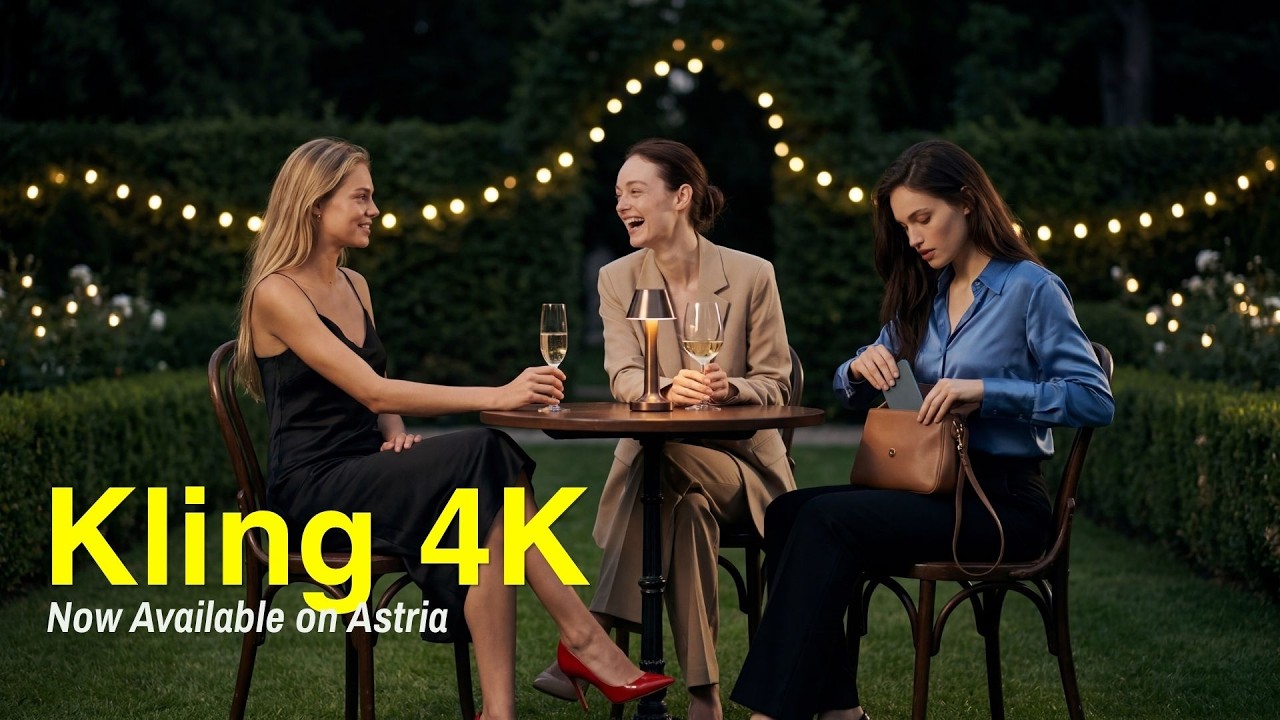
🎬 2. Kling 4K: cinema-grade video generation
|
|
|
▶ Watch the Kling 4K demo on YouTube
|
|
Kling's latest release pushes video generation into full 4K territory. This is the first open video model where the resolution genuinely holds up on a big screen:
-
True 4K (3840×2160) output: no upscaling, no softness
-
Natural motion with realistic physics: weight, momentum, and inertia finally look right
-
Consistent characters and environments across multiple shots of the same scene
-
Cinematic detail retention: fine textures (hair, fabric, water) don't break down in movement
Best for: commercial video, narrative sequences, and any delivery that needs to look like a real production.
|
|
🧪 3. WAN 2.7: the flexible workhorse
|

|
|
WAN 2.7 is an upgrade aimed at advanced workflows and experimentation. If you've been running into content or composition limits, this release opens things up:
-
Enhanced overall generation quality and more accurate detail rendering
-
Greater control over complex compositions: multiple subjects, layered scenes, tricky framing
-
Improved iteration stability: small prompt changes produce predictable variations
-
More permissive content handling: broader creative range for artistic and editorial work
Best for: creative exploration, stylized projects, and workflows that need more flexibility than mainstream models offer.
|
|
✨ More updates
|
Seedance 2.0 (1080p) is now available
Fast, stable 1080p video generation with smoother frame-to-frame coherence and noticeably quicker turnaround.
|
New upscaling
Added new upscaling: --upscale_v4
|
|
|
The pattern across all four: faster, sharper, more predictable. Less fighting the model, more moving straight from idea to final output.
More updates are on the way.
|
|
Try the new models on Astria →
|
|
Best,
Astria
|
|
|
|
 Astria


